- CMS
- Pages
- Categories
- CMS overview
- Creating and Publishing a New Blog Post
- How to Create and Edit Pages using Page Templates
- Creating PageBuilder Elements
- How To Send A Custom Message With Attachments
- Customizing Your Website Header and Header Settings
- Users
- eLearning
- Managing a Course
- Courses
- eCommerce
- Customize
- Customize Dashboard Menu
- Landing Pages using Claude or Codes
- Customize User Dashboard
- Gamification
- Use leaderboards and monitor program health
- Review the points log
- Plan badges, levels, and rewards
- Create and manage point rules
- Gamification overview
- Interface
- How to switch between roles ?
- FAQs
- How is monthly active users recorded ?
Customize User Dashboard
Updated on Tue Apr 07 2026
How to Customize User Dashboard
Learn how to access and modify your student dashboard configuration settings quickly. This guide provides a simple workflow to enable specific user view features and save your changes effectively.
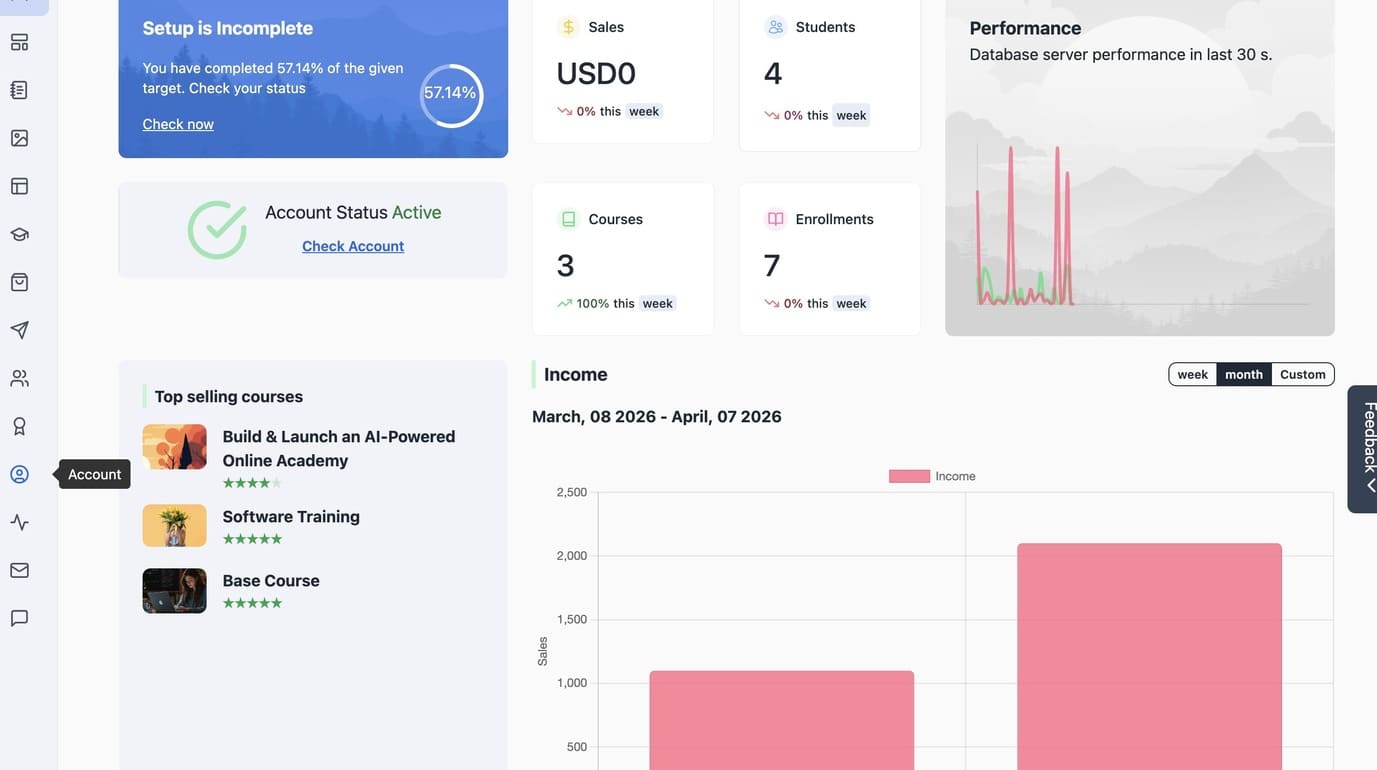
1. Navigate to Administrator Dashboard
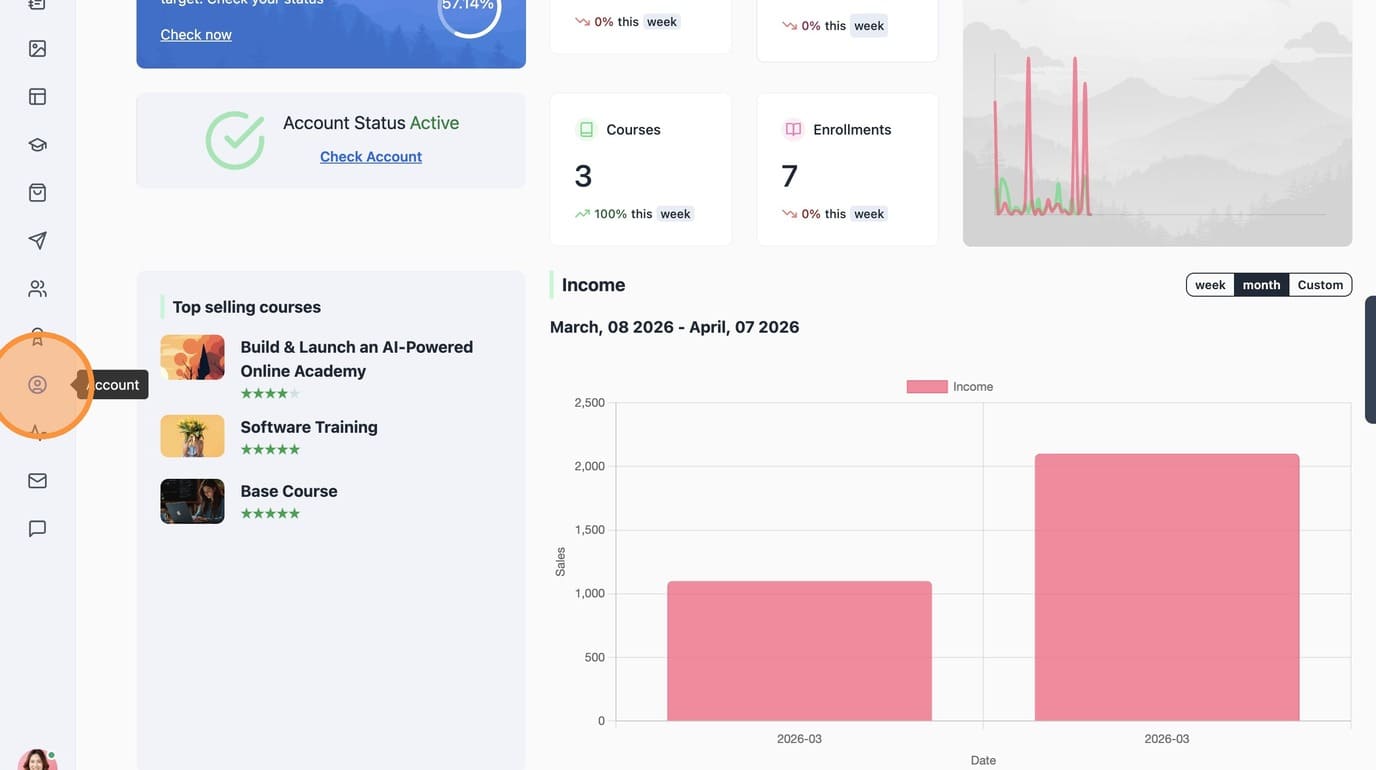
2. Navigate to Account section
3. Go to "Customize"
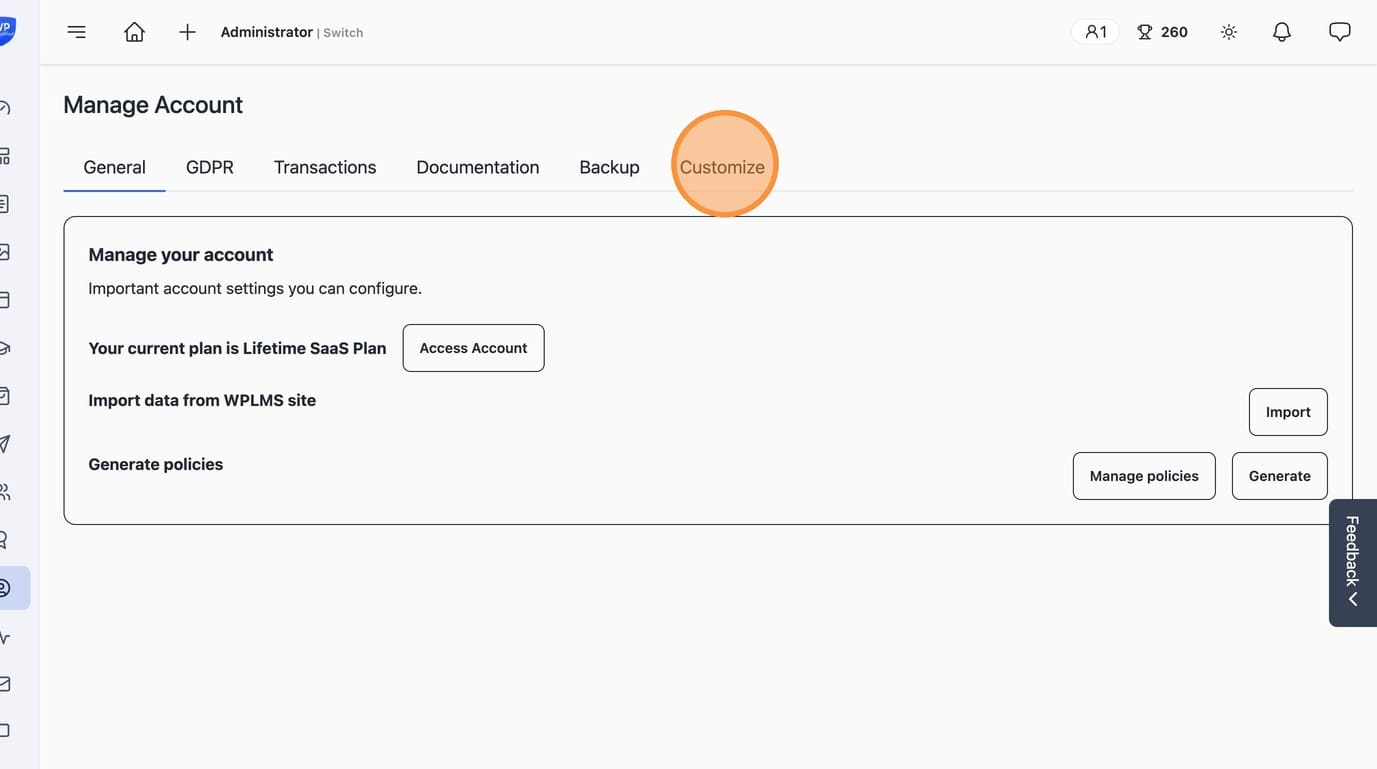
4. Next "Customize Dashboard"
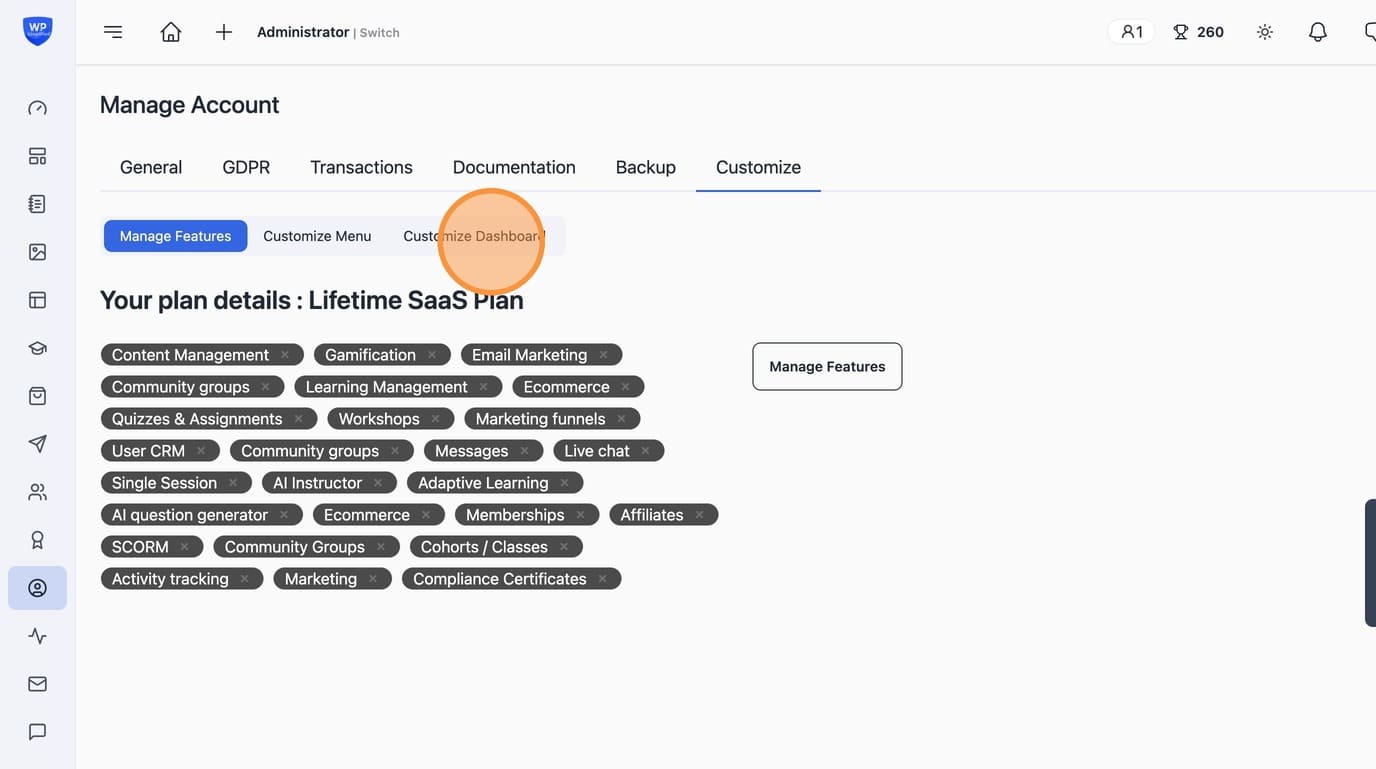
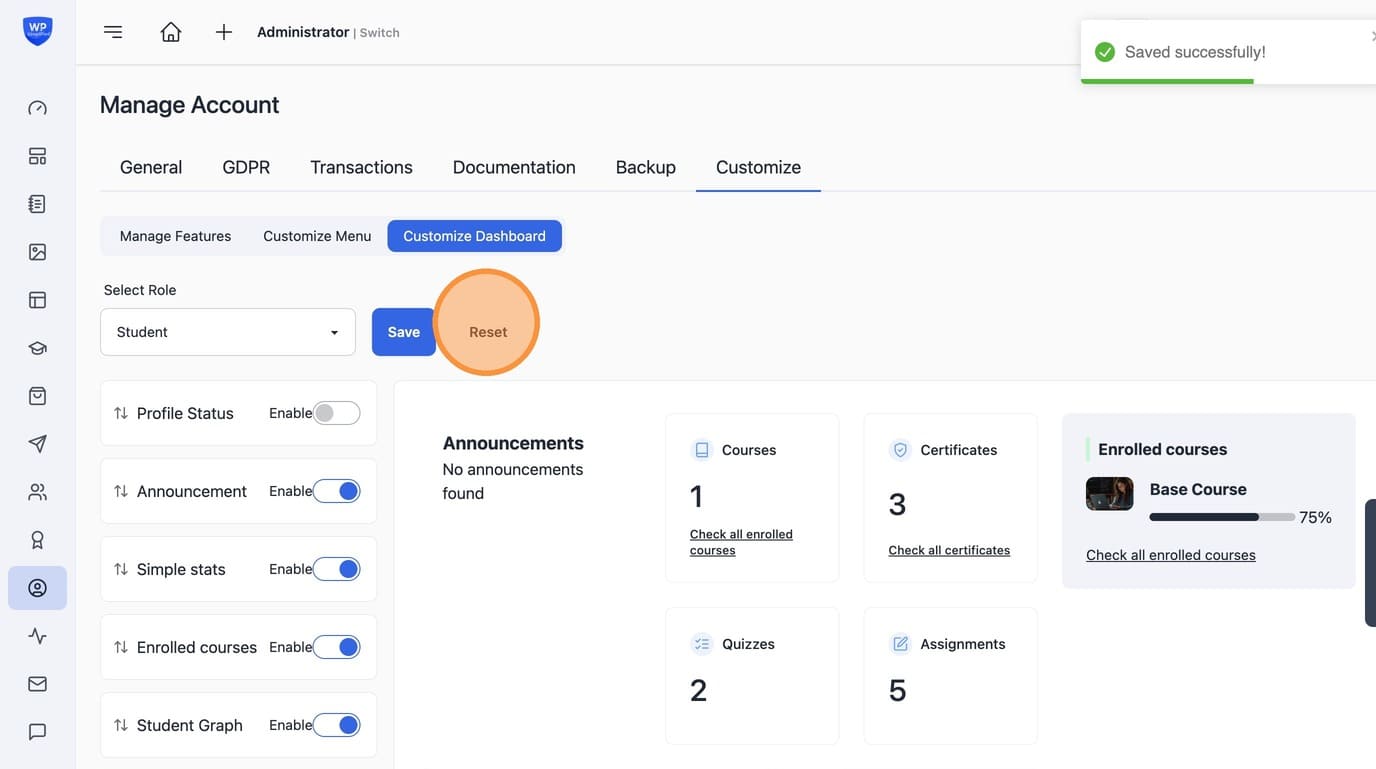
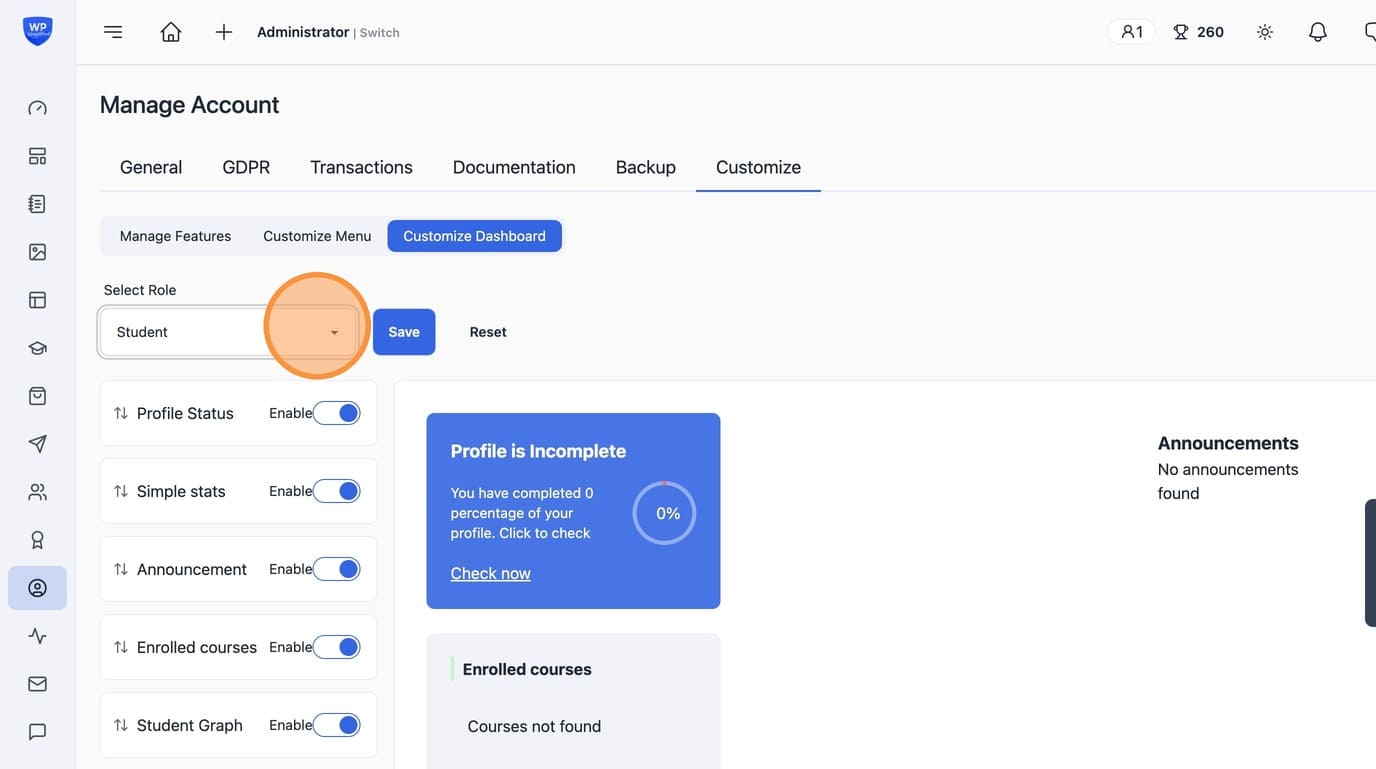
5. Select the user role for which you want to customize dashboard.
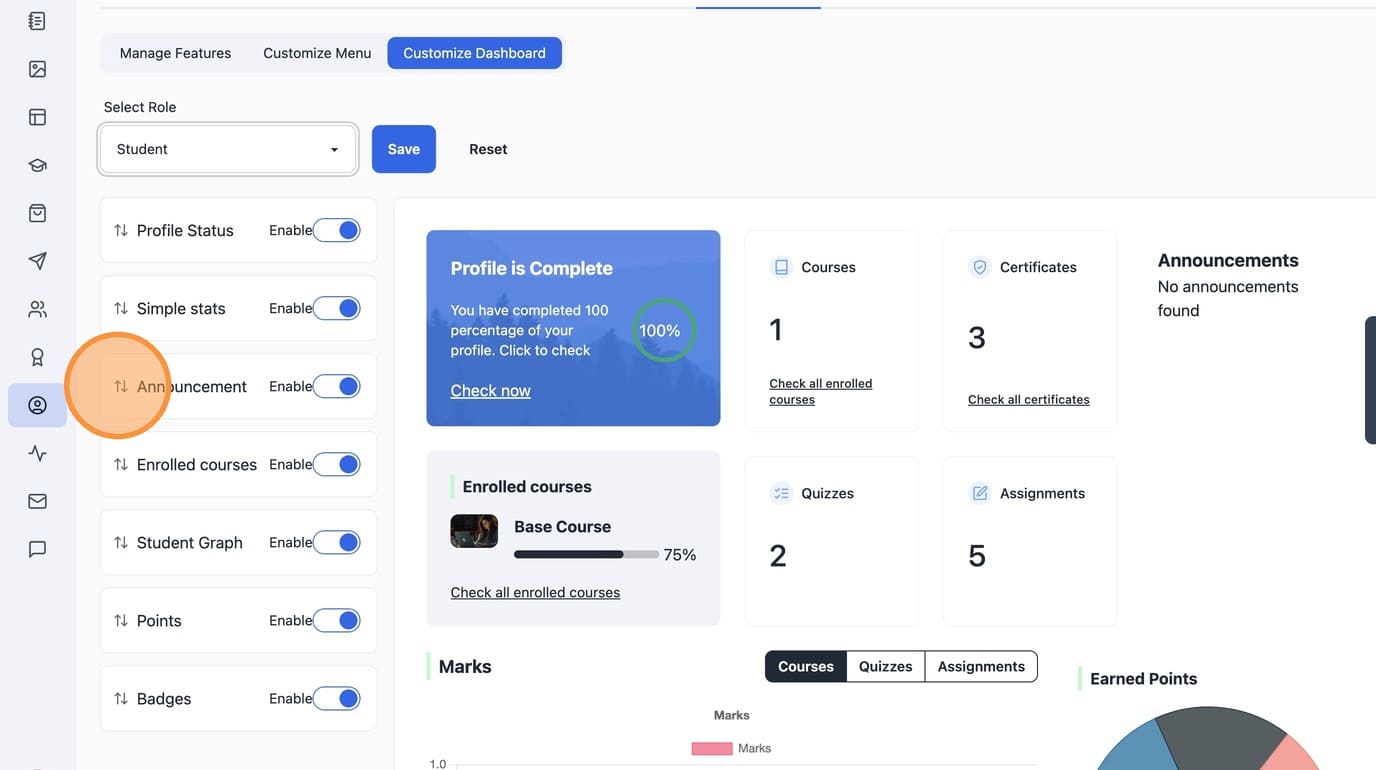
6. Drag & Drop to rearrange Widgets
7. Use "Enable" switch to enable / disable widgets in the layout
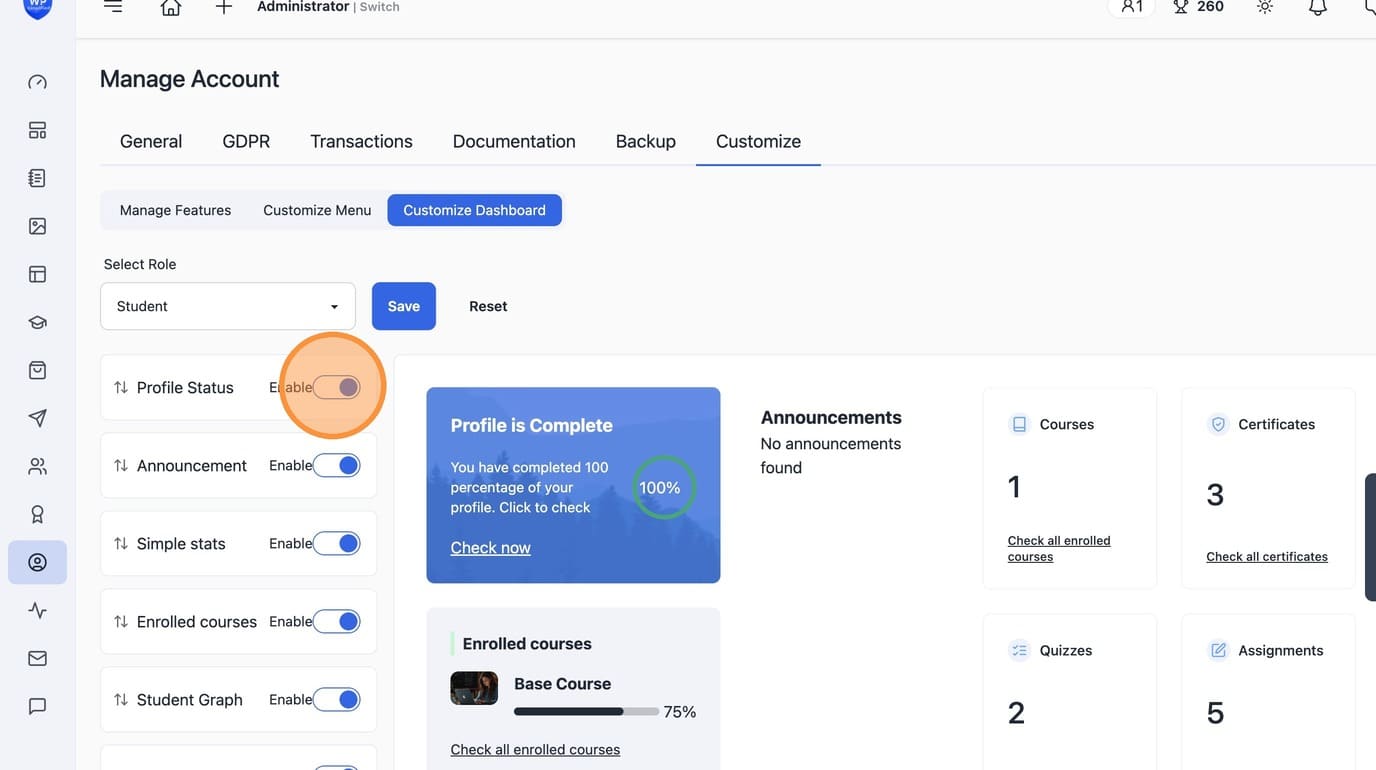
8. Click "Save" to save the layout
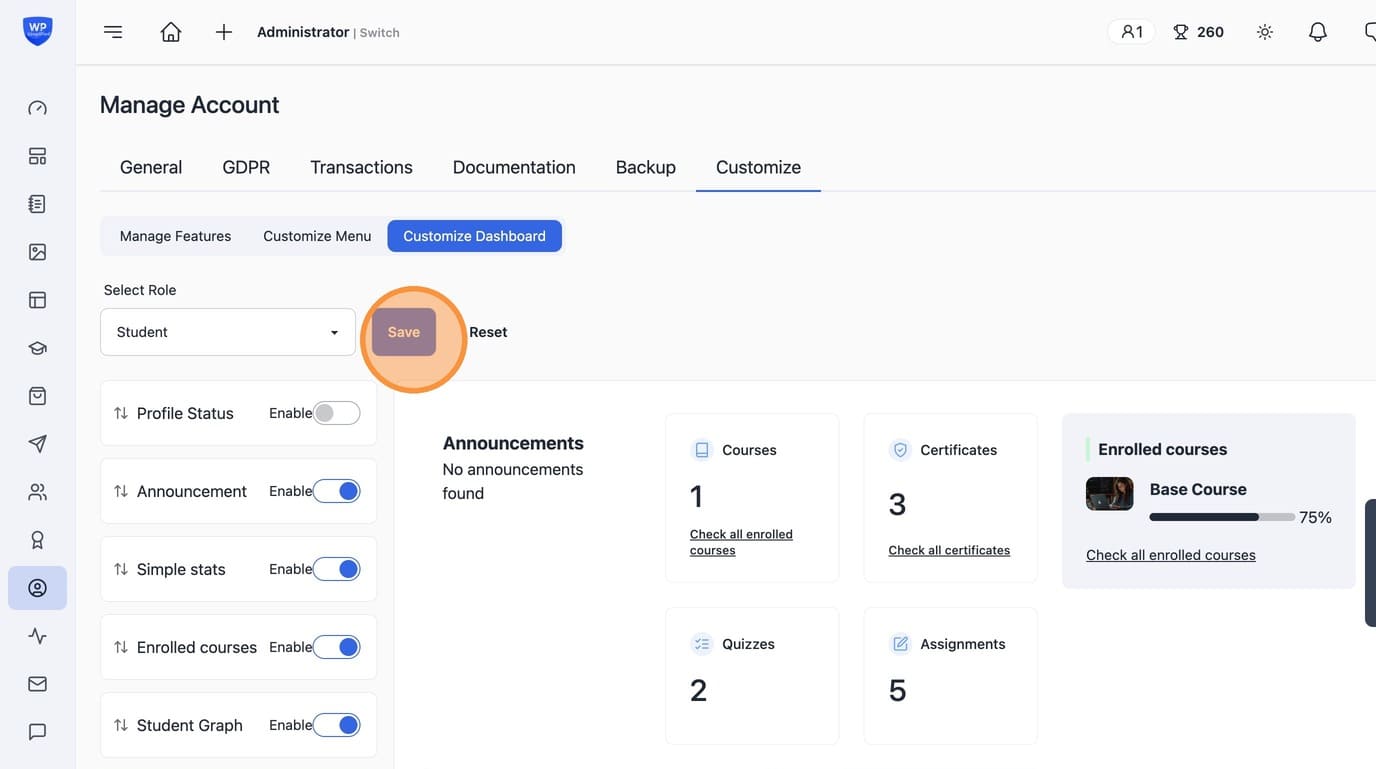
9. Or "Reset" to reset to defaults