- About
- Objective
- Features
- Documentation
- Documentation Builder
- Setup
- Setup Domain
- Page Builder
- BYOS
- LMS
- About LMS
- Creating Courses
- Course Management
- CMS
- Site Features
- Posts
- Media
- Live Customizer
- Workshops
- Zoom Meetings in AcademyLauncher
- Google Meet in Workshops & Google login
- Community
- Community features
- Users
- eCommerce
- Products
- Memberships
- Orders
- Subscriptions
- Payments
- Configuring Stripe
- Payment Settings
- Configuring Razorpay
- Reports
- Dashboard
- Course reports
- Administrator
- Policy
- Privacy Policy
- FAQ
- Default Storage
- Setting up site logo, title
- Customize Dashboard Menu
- Account
- Account workspace overview
- Manage plan, imports, policies, and ownership
- Manage workspace features
- Manage domains, URLs, and sitemap
- Manage data and privacy requests
- Configure role navigation
- Configure dashboard layout
Configuring Stripe
Login to your account at AcademyLauncher.com and under Setup - payments , select Stripe as payment gateways and Save.
Reload the page to see Stripe payment gateway tab appear under payments section.
Login to your Stripe account at Stripe.com
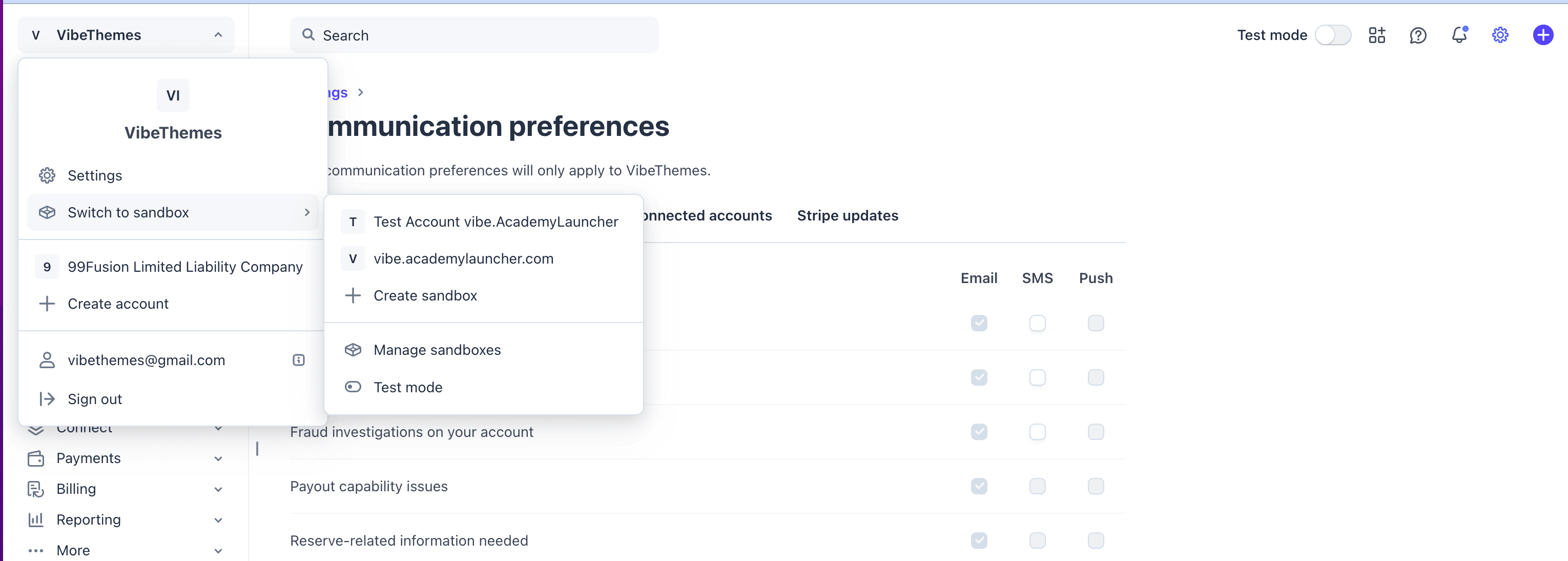
Create a Sandbox or select an existing sandbox [ optional ]
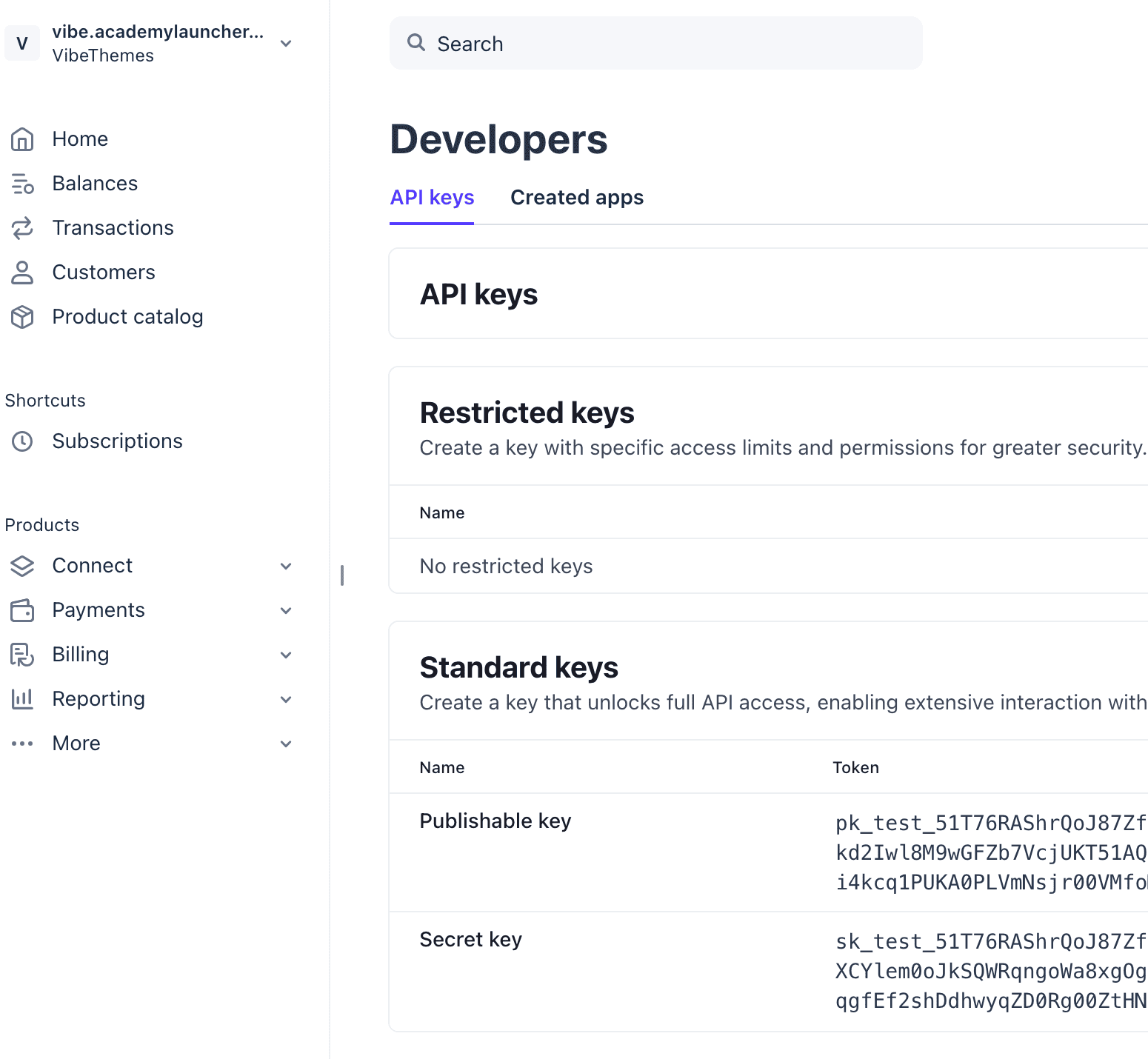
Search API Keys and you will see a page where you can generate or select existing Publishable and Secret keys for the Stripe.
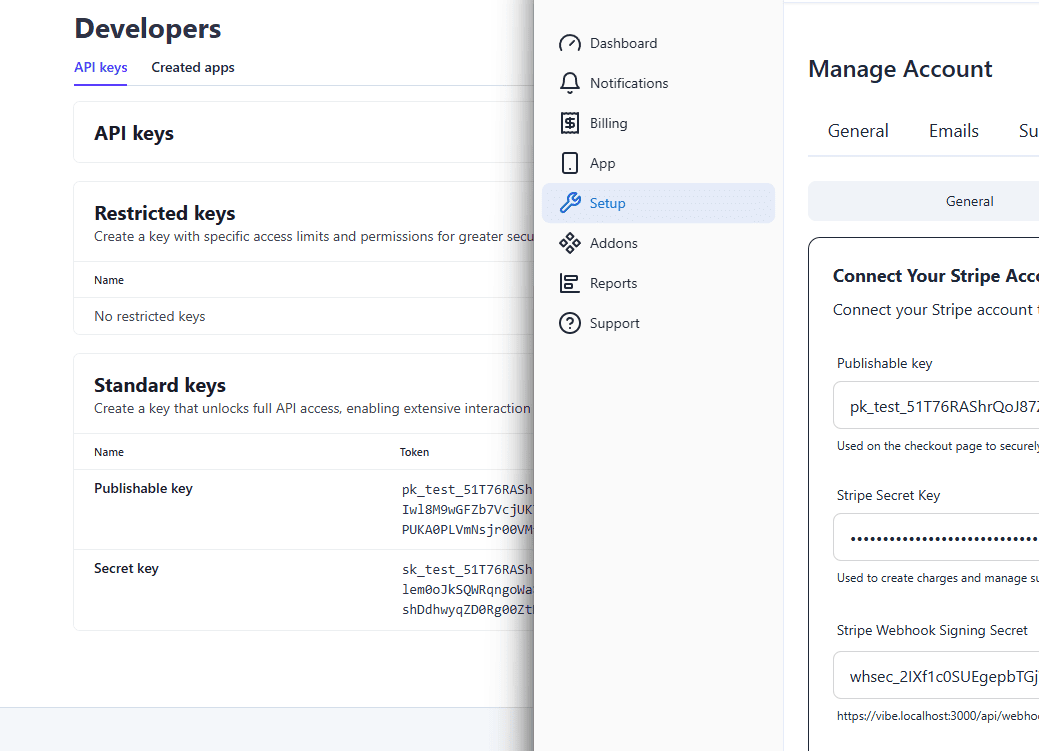
Login to your account at AcademyLauncher.com and under Setup - payments - stripe. Recommended that you open 2 browser tabs , one with stripe account and second with AcademyLauncher account.
Copy the keys and paste them in your account.
Back in your stripe account Search for Webhooks
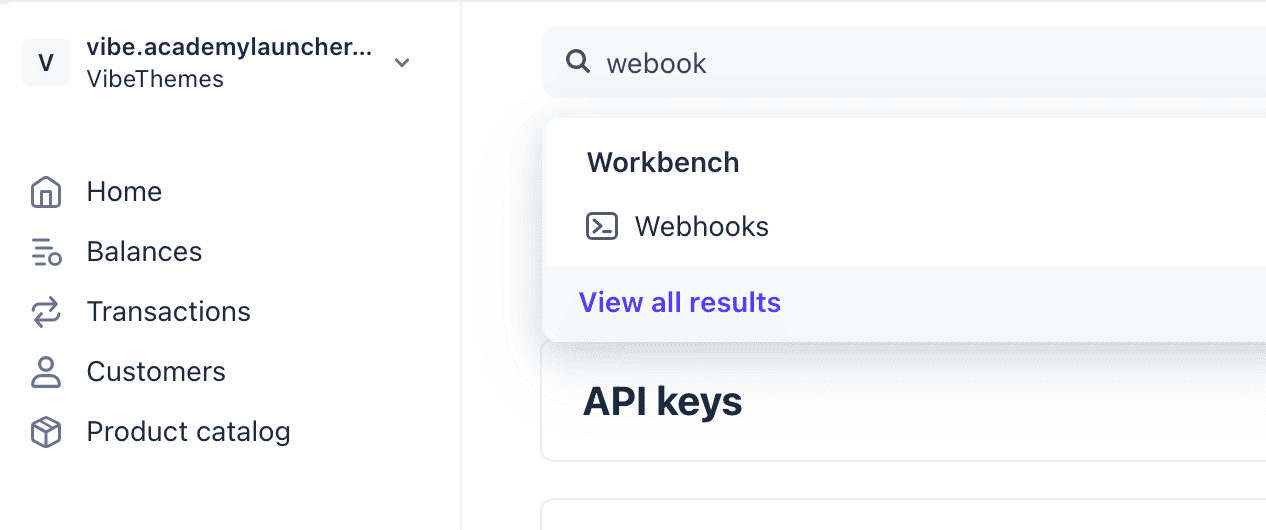
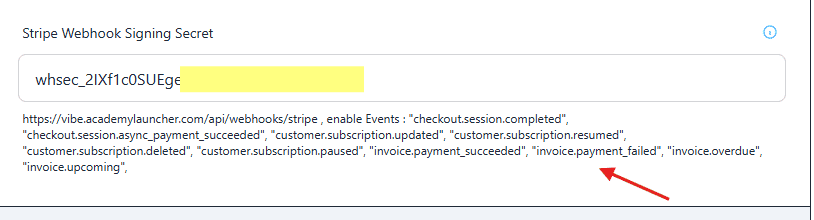
Create a new webhook and enable the events shown in the Academylauncher stripe page.
Copy the webhook url from AcademyLauncher and add it to your Stripe account
Copy the webhook secret from the stripe account and add it to AcademyLauncher webhook secret. Make sure events shown are enabled for the webhook.