- About
- Objective
- Features
- Documentation
- Documentation Builder
- Setup
- Setup Domain
- Page Builder
- BYOS
- LMS
- About LMS
- Creating Courses
- Course Management
- CMS
- Site Features
- Posts
- Media
- Live Customizer
- Workshops
- Zoom Meetings in AcademyLauncher
- Google Meet in Workshops & Google login
- Community
- Community features
- Users
- eCommerce
- Products
- Memberships
- Orders
- Subscriptions
- Payments
- Configuring Stripe
- Payment Settings
- Configuring Razorpay
- Reports
- Dashboard
- Course reports
- Administrator
- Policy
- Privacy Policy
- FAQ
- Default Storage
- Setting up site logo, title
- Customize Dashboard Menu
- Account
- Account workspace overview
- Manage plan, imports, policies, and ownership
- Manage workspace features
- Manage domains, URLs, and sitemap
- Manage data and privacy requests
- Configure role navigation
- Configure dashboard layout
Container
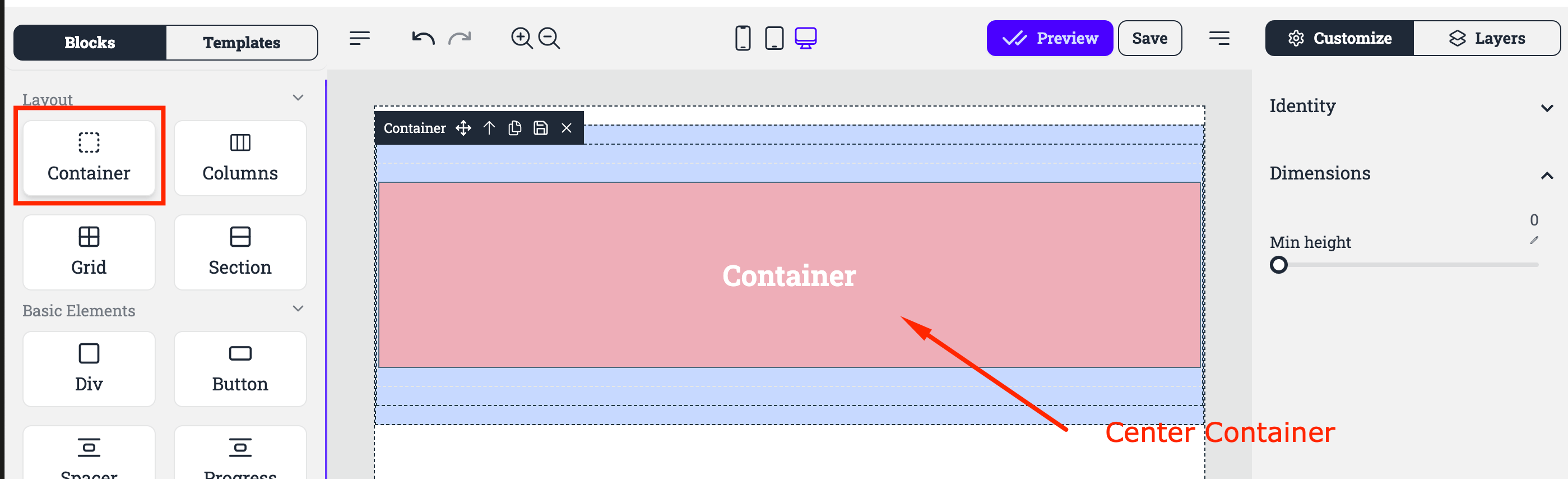
Container layout in design refers to a structural element that holds and organizes content within a defined boundary. It's a foundational concept used in web design, UI/UX design, and graphic design to create a clear, organized, and responsive framework.
Using containers provides design consistency across different sections of a website or app. By repeating container structures, you can create uniformity in layout across multiple pages or sections.
Containers adapt to various screen sizes and devices, making them crucial in responsive design. They ensure that the layout adjusts fluidly when viewed on mobile phones, tablets, or desktops.
Controls
Identity : Here you define the ID and the ClassName of the block
Dimensions : You can define a minimum height of the container. By using the Edit Icon you can also define height in various formats like 100vh which is full screen. By default height would be the height of the containing elements.