- About
- Objective
- Features
- Documentation
- Documentation Builder
- Setup
- Setup Domain
- Page Builder
- BYOS
- LMS
- About LMS
- Creating Courses
- Course Management
- CMS
- Site Features
- Posts
- Media
- Live Customizer
- Workshops
- Zoom Meetings in AcademyLauncher
- Google Meet in Workshops & Google login
- Community
- Community features
- Users
- eCommerce
- Products
- Memberships
- Orders
- Subscriptions
- Payments
- Configuring Stripe
- Payment Settings
- Configuring Razorpay
- Reports
- Dashboard
- Course reports
- Administrator
- Policy
- Privacy Policy
- FAQ
- Default Storage
- Setting up site logo, title
- Customize Dashboard Menu
- Account
- Account workspace overview
- Manage plan, imports, policies, and ownership
- Manage workspace features
- Manage domains, URLs, and sitemap
- Manage data and privacy requests
- Configure role navigation
- Configure dashboard layout
Email Verification Configuration Guide
Overview
AcademyLauncher includes built-in email verification to help maintain high-quality user data and improve email deliverability.
By default, AcademyLauncher uses the REOON Email Verifier API to validate email addresses across the platform. This verification process helps ensure that only valid and deliverable email addresses are stored and used.
Default Email Verification
The default email verification system automatically verifies email addresses in the following scenarios:
New user registrations on your website.
Contact form submissions.
Users added to the Users section.
Contacts imported into Marketing Email Lists through bulk verification.
Email verification credits and usage limits are determined by your AcademyLauncher subscription plan. The included limits are designed to accommodate the needs of most users.
Using a Custom Email Verification Provider
If you require a different verification provider, have specific performance requirements, or have exhausted your included verification credits, you can easily switch to a custom email verification service.
Supported Email Verification Providers
AcademyLauncher currently supports the following email verification providers:
REOON
NeverBounce
ZeroBounce
DeBounce
Before proceeding, ensure that you have an active account and a valid API key from your preferred provider.
Setup Instructions
Follow these steps to configure a custom email verification provider:
Step 1: Create an Account
Sign up for an account with one of the supported email verification providers and obtain your API key.
Step 2: Log in to AcademyLauncher
Access your AcademyLauncher account using your administrator credentials.
Step 3: Open the Setup Section
From the dashboard, navigate to the Setup section.
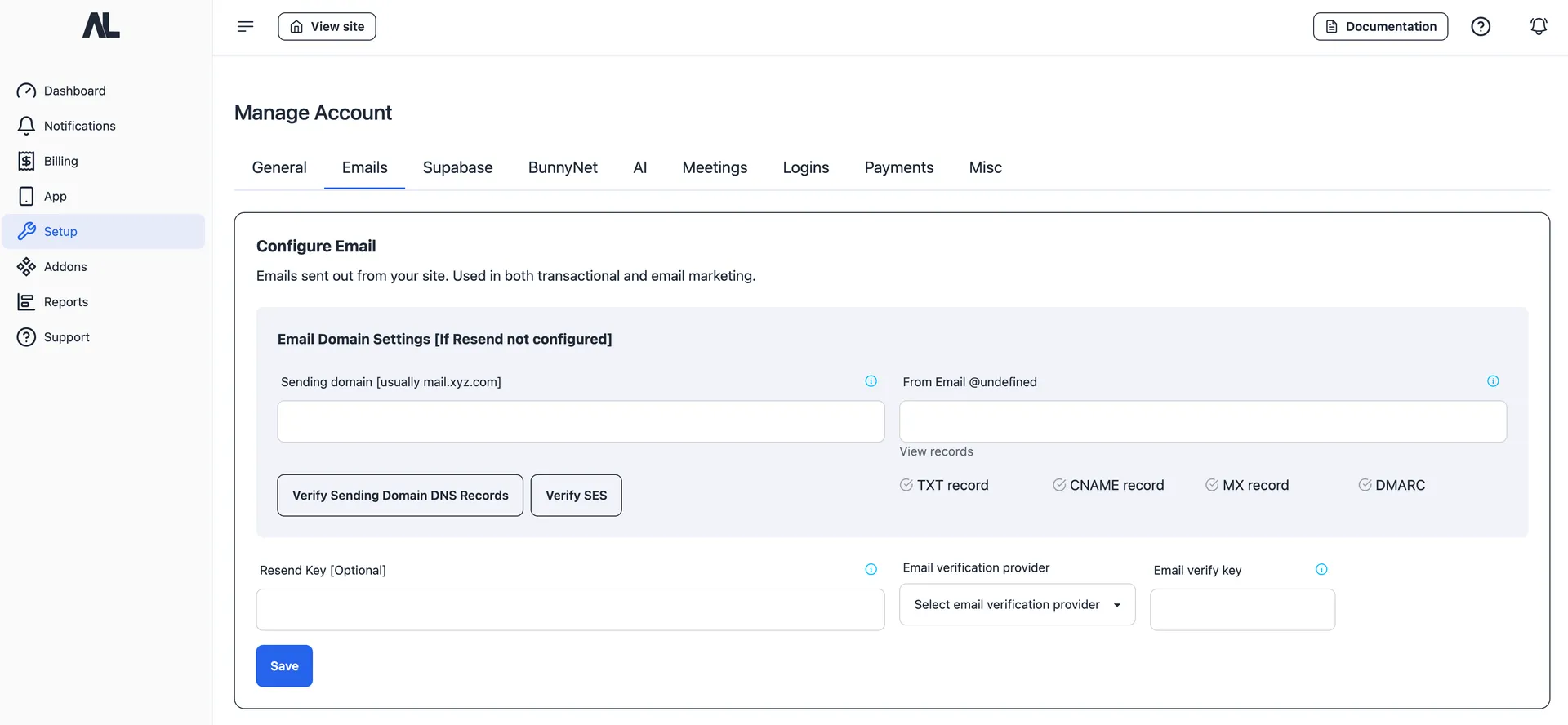
Step 4: Access Email Settings
Select Emails from the available configuration options.
Step 5: Configure Email Verification
Locate the Email Verifier settings.
Step 6: Enter Your API Key
Paste the API key provided by your chosen email verification service into the designated field.
Step 7: Save Your Settings
Save the configuration to activate your custom email verification provider.
Completion
Once the API key has been saved successfully, AcademyLauncher will begin using your selected email verification provider for all supported verification activities across the platform.