- About
- Objective
- Features
- Documentation
- Documentation Builder
- Setup
- Setup Domain
- Page Builder
- BYOS
- LMS
- About LMS
- Creating Courses
- Course Management
- CMS
- Site Features
- Posts
- Media
- Live Customizer
- Workshops
- Zoom Meetings in AcademyLauncher
- Google Meet in Workshops & Google login
- Community
- Community features
- Users
- eCommerce
- Products
- Memberships
- Orders
- Subscriptions
- Payments
- Configuring Stripe
- Payment Settings
- Configuring Razorpay
- Reports
- Dashboard
- Course reports
- Administrator
- Policy
- Privacy Policy
- FAQ
- Default Storage
- Setting up site logo, title
- Customize Dashboard Menu
- Account
- Account workspace overview
- Manage plan, imports, policies, and ownership
- Manage workspace features
- Manage domains, URLs, and sitemap
- Manage data and privacy requests
- Configure role navigation
- Configure dashboard layout
Google Meet in Workshops & Google login
Login to your account at https://academylauncher.com
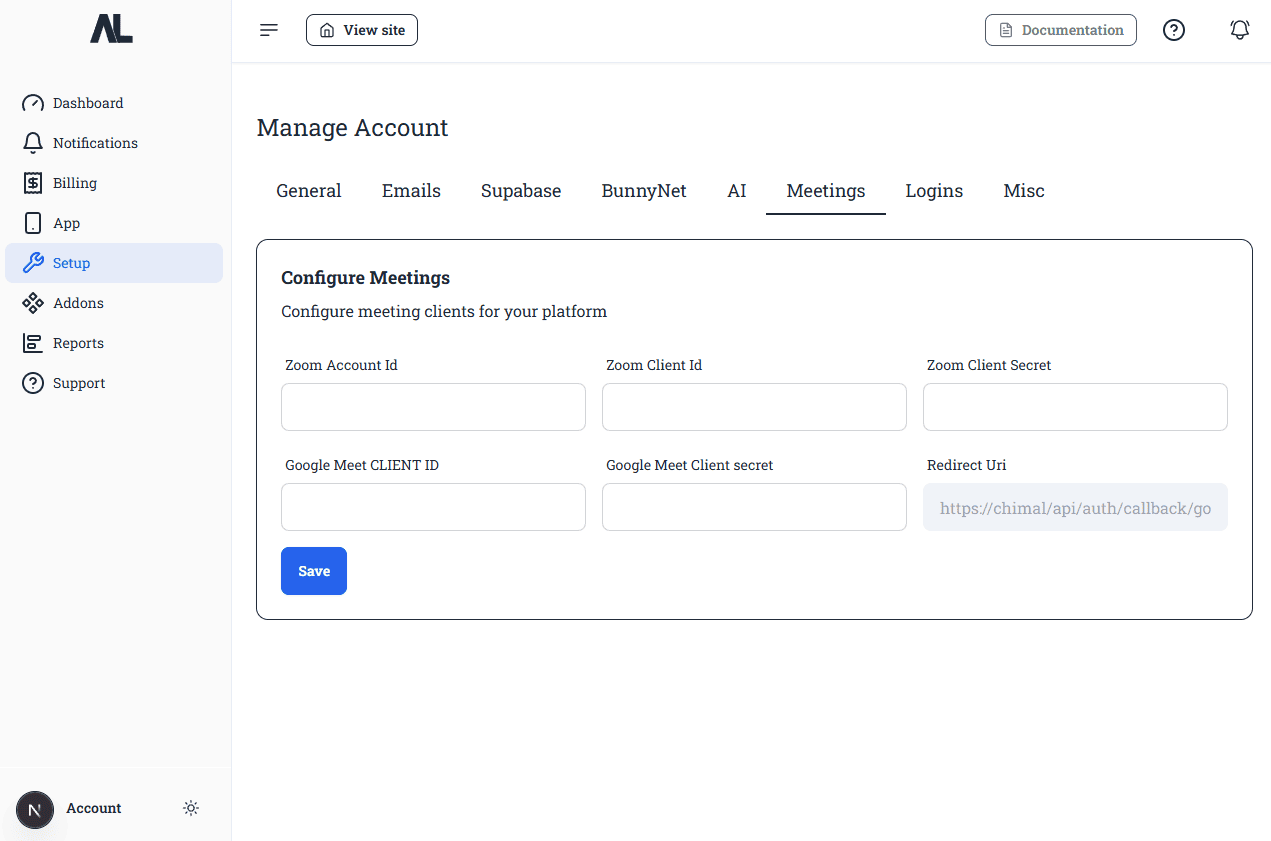
If Workshops feature is enabled in your Account. You will see the Meetings tab under the Setup section of your account.
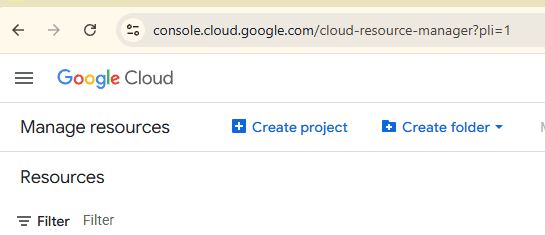
Next login to Google cloud console : https://console.cloud.google.com/
Here you can either create a new project of edit an existing project.
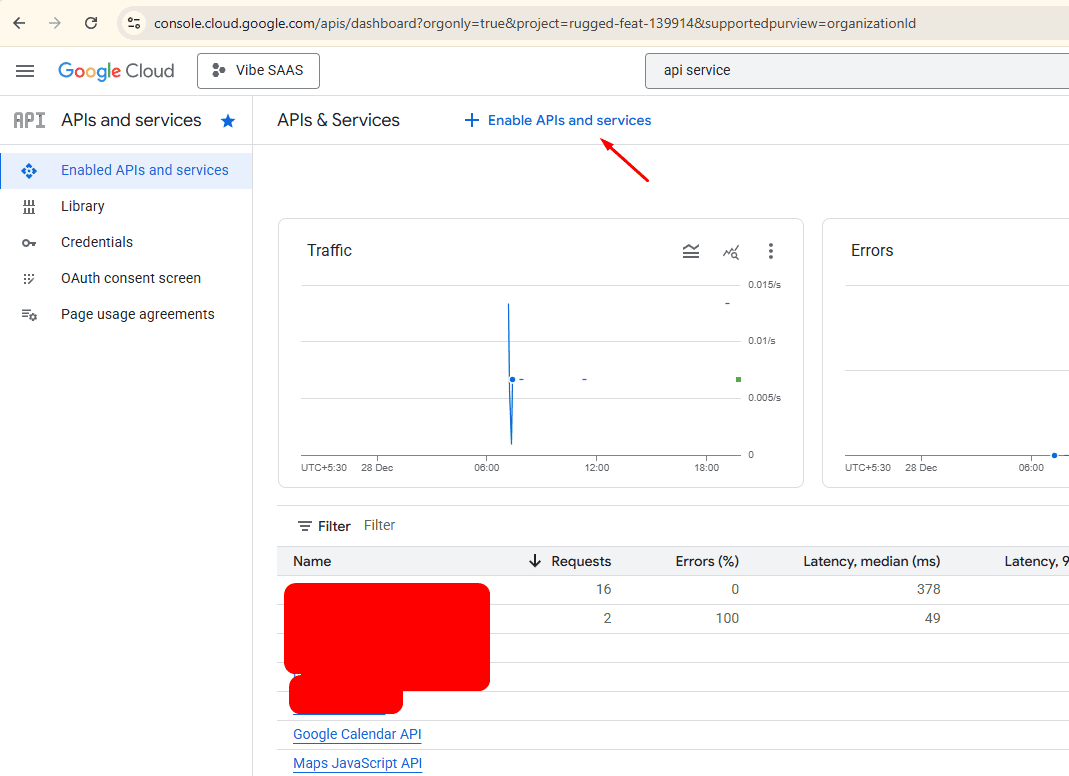
Search for enabled APIs and/or go to the API console.
In this section you have to search for Google Calendar API and enable this service.
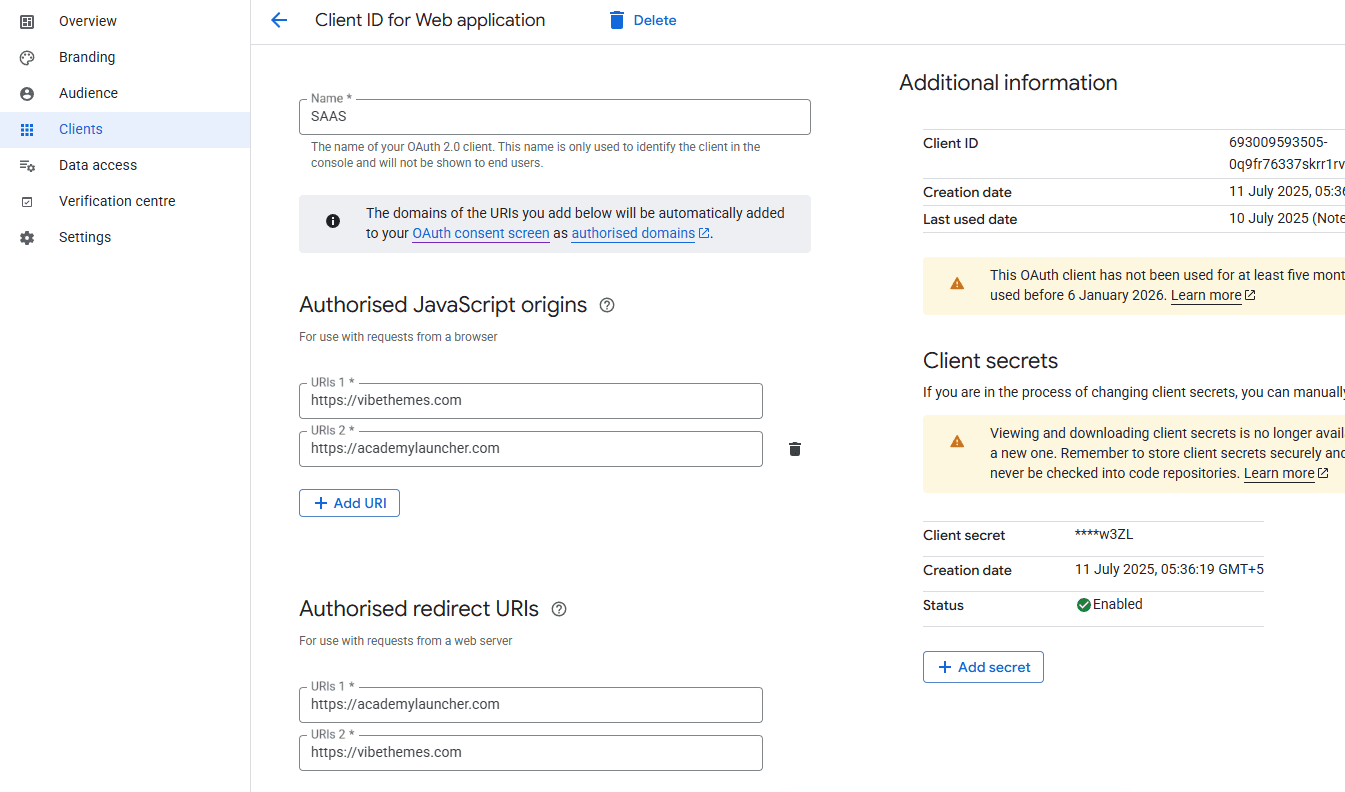
Now, click on the oAuth Consent screen which brings to below screen
here you create a new client for your application
Most importantly, add your domain name in authorised domains and redirects
Copy the client ID and ppress button add secret to capture a secret for this app.
Put these details in the Step 1 to configure the google meet.
This same process can be followed for Google logins