- About
- Objective
- Features
- Documentation
- Documentation Builder
- Setup
- Setup Domain
- Page Builder
- BYOS
- LMS
- About LMS
- Creating Courses
- Course Management
- CMS
- Site Features
- Posts
- Media
- Live Customizer
- Workshops
- Zoom Meetings in AcademyLauncher
- Google Meet in Workshops & Google login
- Community
- Community features
- Users
- eCommerce
- Products
- Memberships
- Orders
- Subscriptions
- Payments
- Configuring Stripe
- Payment Settings
- Configuring Razorpay
- Reports
- Dashboard
- Course reports
- Administrator
- Policy
- Privacy Policy
- FAQ
- Default Storage
- Setting up site logo, title
- Customize Dashboard Menu
- Account
- Account workspace overview
- Manage plan, imports, policies, and ownership
- Manage workspace features
- Manage domains, URLs, and sitemap
- Manage data and privacy requests
- Configure role navigation
- Configure dashboard layout
Grid Layout
Updated on Thu Sep 19 2024
Create a grid layout for arranging elements within the container. This block allows you to create Grid elements in your layout.
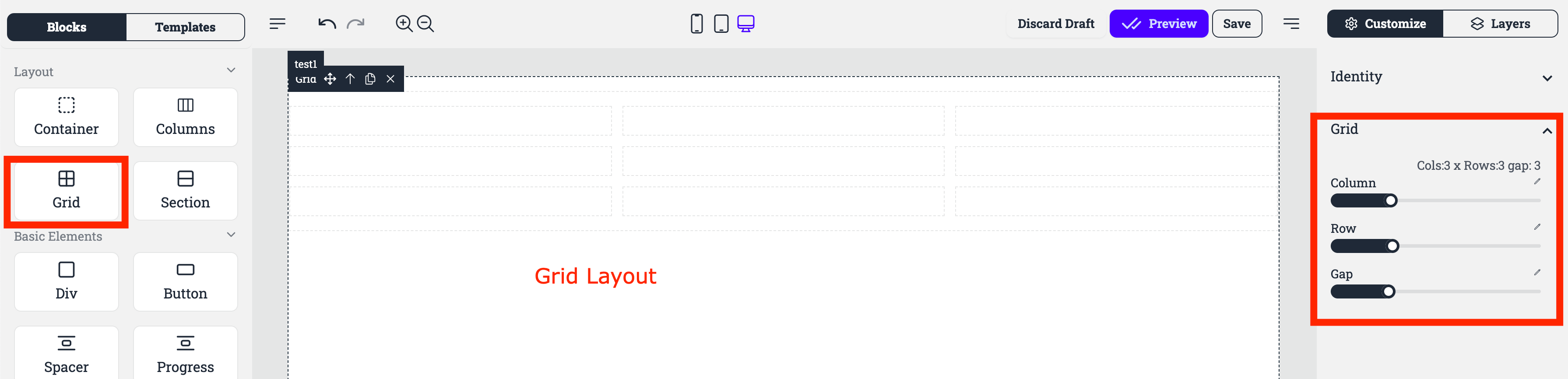
Columns: This option allow you to adjust the number of columns in the grid.
Rows: This option allow you to adjust the number of rows in the grid.
Gap: This setting controls the spacing between the grid cells.
Each of the blocks inside a grid is called a Grid Item. By default each of the Grid Item is of consistent size.
However you can create different Grid layouts by using Grid item properties.
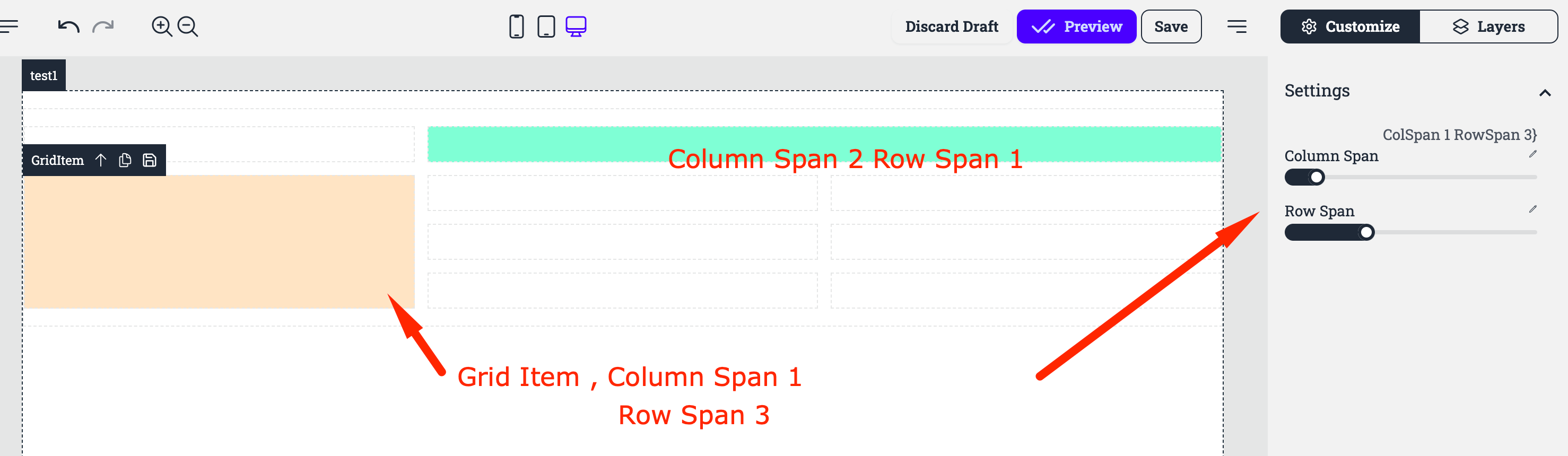
here we present 2 examples :
First one we modify the Grid Item by setting a column Span of 2 and Row span of 1 in turquoise color.
The second one in beige color, has a column span of 1 and a Row span of 3