- About
- Objective
- Features
- Documentation
- Documentation Builder
- Setup
- Setup Domain
- Page Builder
- BYOS
- LMS
- About LMS
- Creating Courses
- Course Management
- CMS
- Site Features
- Posts
- Media
- Live Customizer
- Workshops
- Zoom Meetings in AcademyLauncher
- Google Meet in Workshops & Google login
- Community
- Community features
- Users
- eCommerce
- Products
- Memberships
- Orders
- Subscriptions
- Payments
- Configuring Stripe
- Payment Settings
- Configuring Razorpay
- Reports
- Dashboard
- Course reports
- Administrator
- Policy
- Privacy Policy
- FAQ
- Default Storage
- Setting up site logo, title
- Customize Dashboard Menu
- Account
- Account workspace overview
- Manage plan, imports, policies, and ownership
- Manage workspace features
- Manage domains, URLs, and sitemap
- Manage data and privacy requests
- Configure role navigation
- Configure dashboard layout
Payment Settings
Only account owners can configure payment settings for their sites.
Login to your account at https://AcademyLauncher.com
Go to the Setup section
Locate the payments section.
Here you can configure the settings. Like enabling payment gateways, currency and tax information.
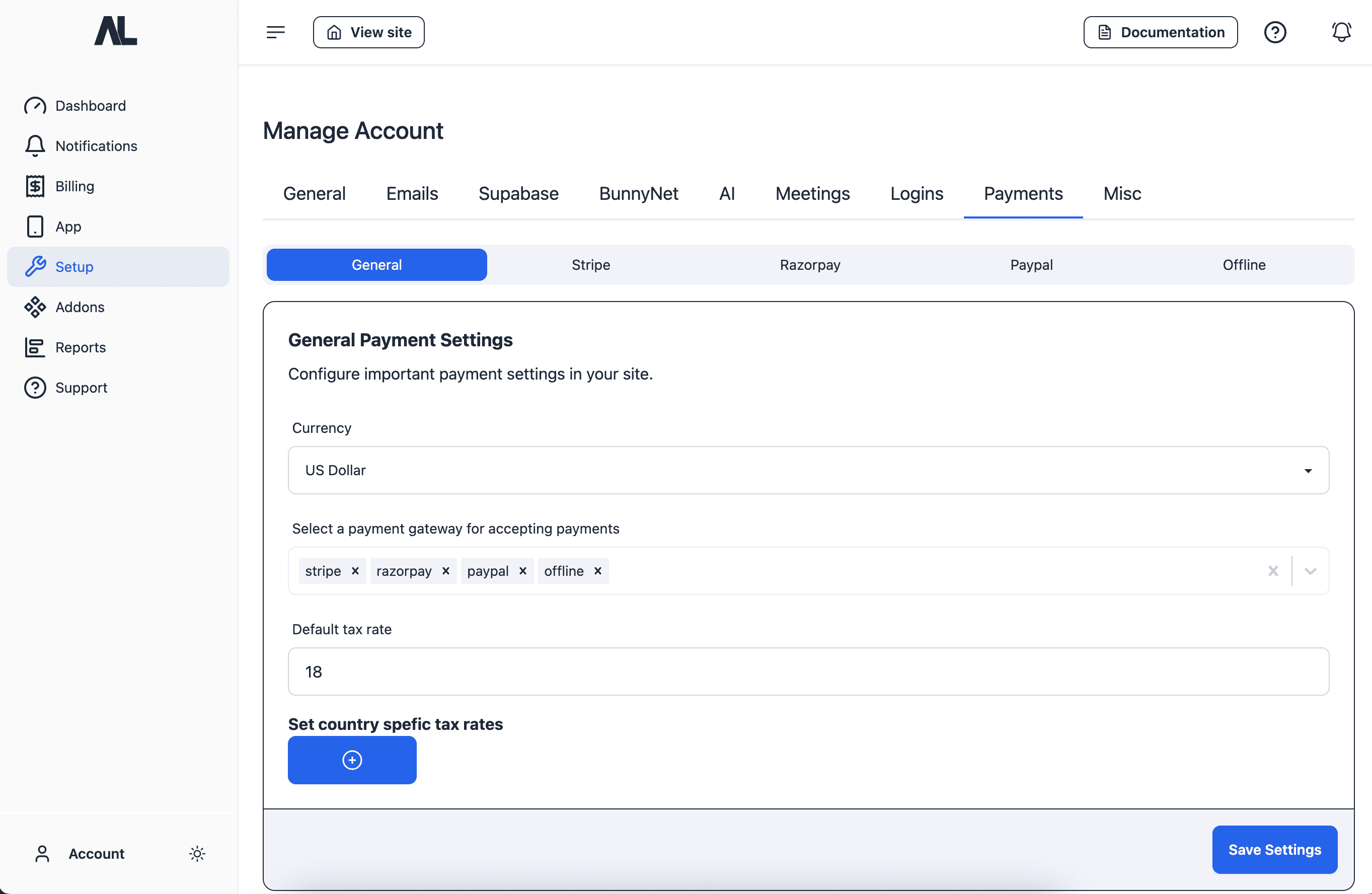
This configuration is encrypted and stored in the our main database. If you have your own supabase configured then it is stored in your supabase database under account options.
You can also setup Tax rates. The default tax rate applies to all the purchases, including subscriptions.
Recommended : Default Tax rate should not be updated again and again. Set once.
For subscriptions we need to set a subscription price ID in the payment gateway, so when you set subscription prices for Membership or Subscriptions the tax rate is applied in the price itself. Changing the default tax rate would require you to reset all the subscription prices.
Dynamic Tax rates or Country specific are only applied on one time purchases not on Subscriptions.
Coupons also do not apply on subscriptions.