- About
- Objective
- Features
- Documentation
- Documentation Builder
- Setup
- Setup Domain
- Page Builder
- BYOS
- LMS
- About LMS
- Creating Courses
- Course Management
- CMS
- Site Features
- Posts
- Media
- Live Customizer
- Workshops
- Zoom Meetings in AcademyLauncher
- Google Meet in Workshops & Google login
- Community
- Community features
- Users
- eCommerce
- Products
- Memberships
- Orders
- Subscriptions
- Payments
- Configuring Stripe
- Payment Settings
- Configuring Razorpay
- Reports
- Dashboard
- Course reports
- Administrator
- Policy
- Privacy Policy
- FAQ
- Default Storage
- Setting up site logo, title
- Customize Dashboard Menu
- Account
- Account workspace overview
- Manage plan, imports, policies, and ownership
- Manage workspace features
- Manage domains, URLs, and sitemap
- Manage data and privacy requests
- Configure role navigation
- Configure dashboard layout
Products
You can add products in your site using the eCommerce products section. To be able to view this you must have create products capability or you must be site Administrator.
To create products you need to go to Admninistration - eCommerce panel.
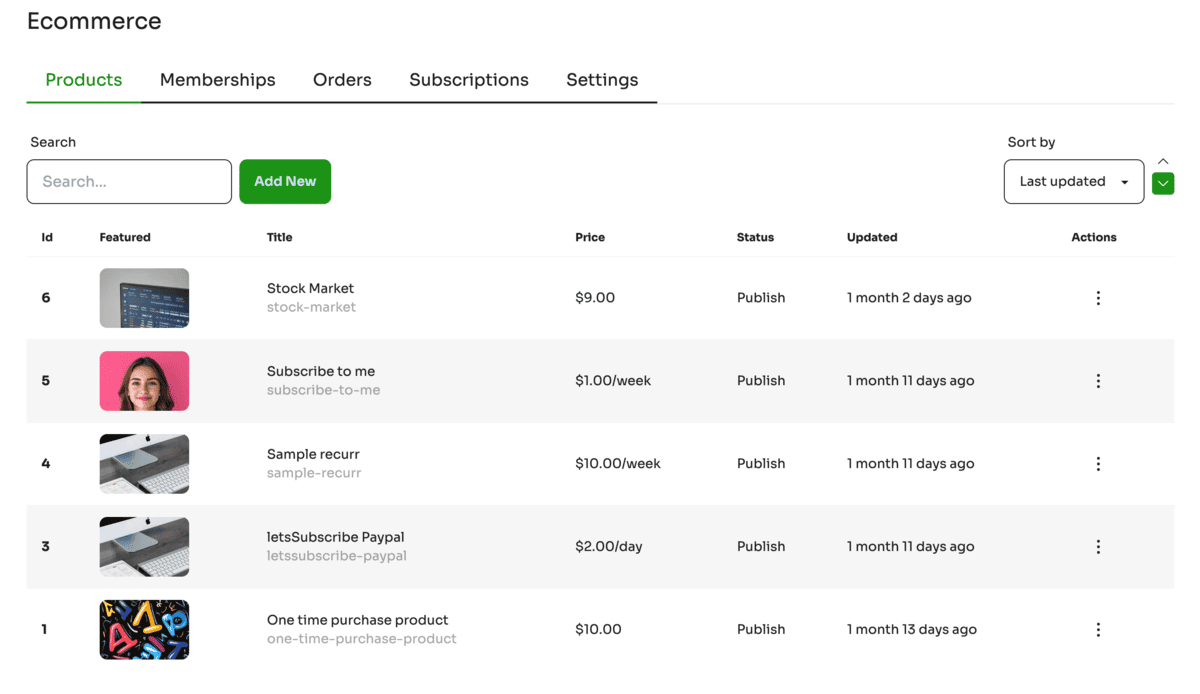
To create a new product use the Add New button. The screen displays the list of all the products created in the site. Each product displays a featured image, a title, a url slug, the price of the product, status of the product and when was it last updated.
The actions can be performed on a single product via product actions.
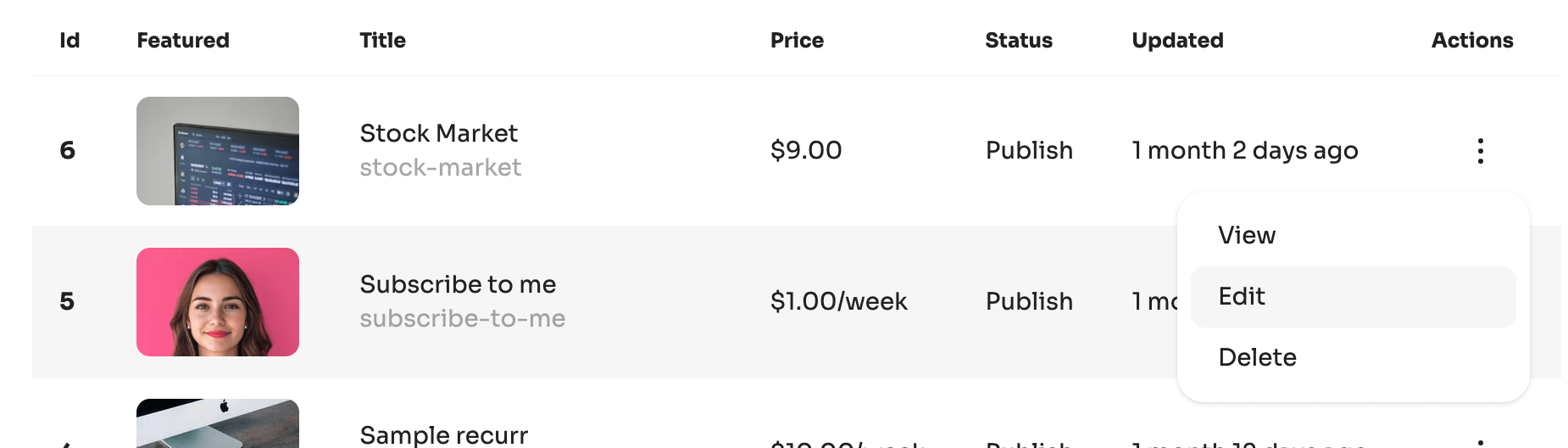
New products can be added using the “Add New” button in the products section. Use product actions to edit the product. Both add new product and edit product open this form.
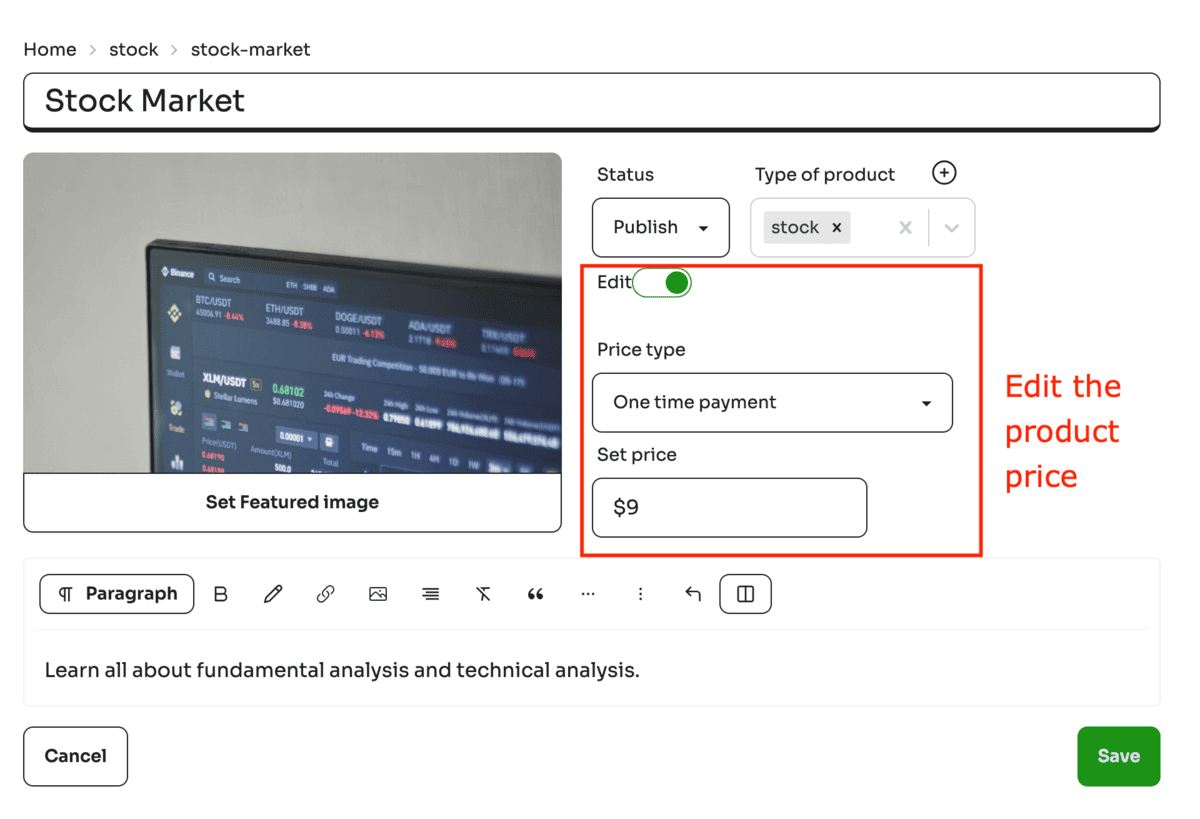
The form contains
Product title, Description, Featured image, Status (publish or draft), Product category and price
The price of the product is supported in two formats :
a. One time price : User makes a one time payment. For selling one time products.
b. Subscription product : User makes a recurring payment. For selling services.
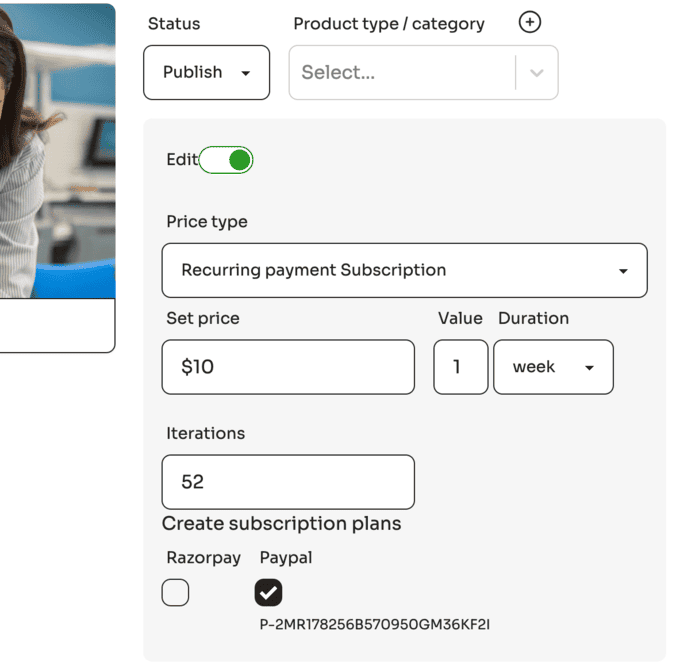
Once you create a subscription product a product plan is created in the payment gateway. Since payment gateways plans can not be deleted, we have added this edit switch to enforce editing of price only when it is required.
Editing a product price with an existing subscription plan’s price or duration would create a new subscription plan in the payment gateway. This is done to avoid existing users subscribed to a product’s subscription plan.