- About
- Objective
- Features
- Documentation
- Documentation Builder
- Setup
- Setup Domain
- Page Builder
- BYOS
- LMS
- About LMS
- Creating Courses
- Course Management
- CMS
- Site Features
- Posts
- Media
- Live Customizer
- Workshops
- Zoom Meetings in AcademyLauncher
- Google Meet in Workshops & Google login
- Community
- Community features
- Users
- eCommerce
- Products
- Memberships
- Orders
- Subscriptions
- Payments
- Configuring Stripe
- Payment Settings
- Configuring Razorpay
- Reports
- Dashboard
- Course reports
- Administrator
- Policy
- Privacy Policy
- FAQ
- Default Storage
- Setting up site logo, title
- Customize Dashboard Menu
- Account
- Account workspace overview
- Manage plan, imports, policies, and ownership
- Manage workspace features
- Manage domains, URLs, and sitemap
- Manage data and privacy requests
- Configure role navigation
- Configure dashboard layout
Section
Section is a layout element with special properties. It is a fullwidth element and one of the page building blocks.
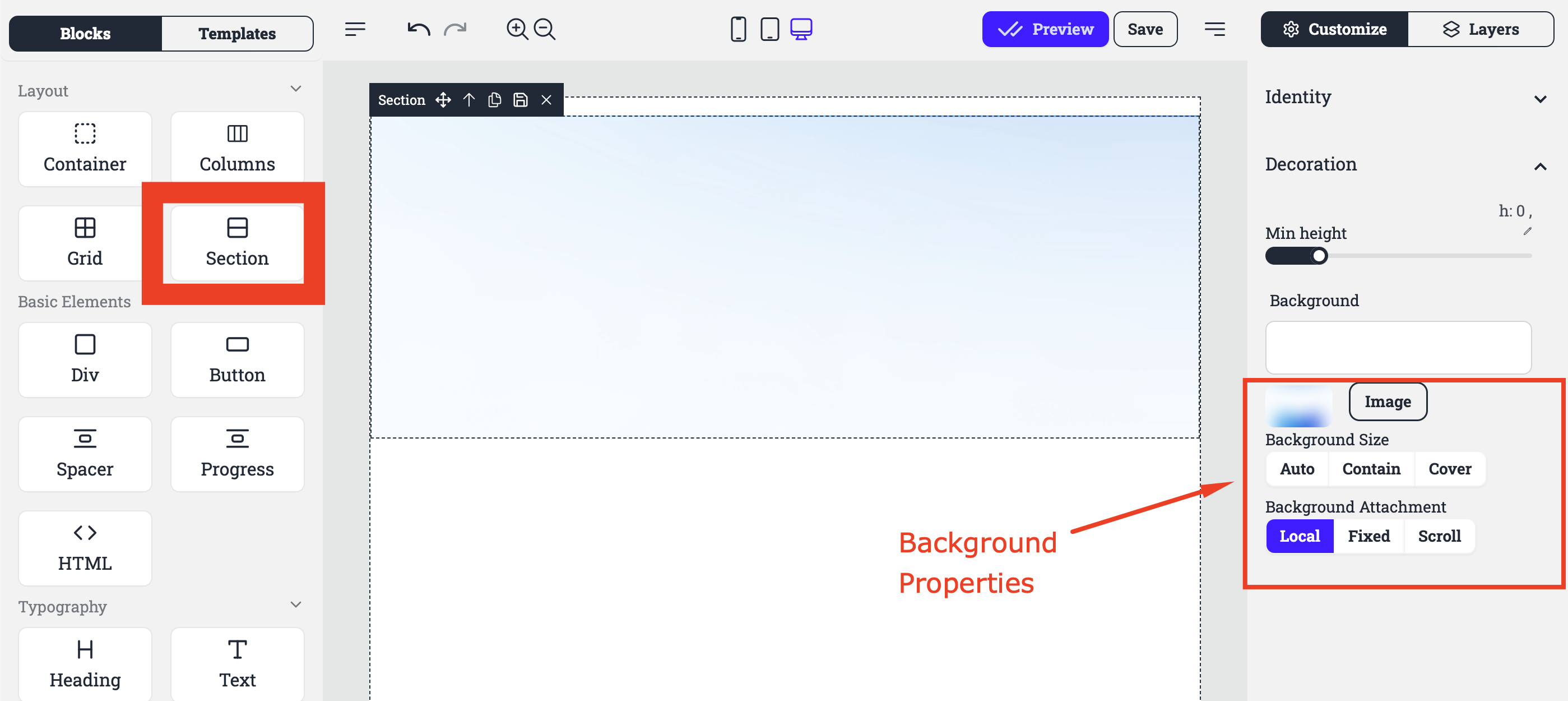
Identity : This section contains options for identifying or naming the section for reference or styling purposes. The ID and the Classes for the section.
Decoration : This section may provide options for adding decorative elements to the section, such as borders, shadows, or rounded corners.
Min height : This setting allows users to specify the minimum height of the section, ensuring it doesn't collapse below a certain size.
Background : This section provides options for customizing the background of the section, including:
Image : Allows users to upload an image to use as the background.
Background Size : Controls how the background image is scaled and positioned within the section.
Background Attachment : Determines how the background image behaves when the page is scrolled.
Local : This option likely indicates that the background image is stored locally on the user's system.
Fixed : This option likely indicates that the background image is fixed in place, scrolling with the page.
Scroll : This option likely indicates that the background image scrolls along with the content of the section.