- About
- Objective
- Features
- Documentation
- Documentation Builder
- Setup
- Setup Domain
- Page Builder
- BYOS
- LMS
- About LMS
- Creating Courses
- Course Management
- CMS
- Site Features
- Posts
- Media
- Live Customizer
- Workshops
- Zoom Meetings in AcademyLauncher
- Google Meet in Workshops & Google login
- Community
- Community features
- Users
- eCommerce
- Products
- Memberships
- Orders
- Subscriptions
- Payments
- Configuring Stripe
- Payment Settings
- Configuring Razorpay
- Reports
- Dashboard
- Course reports
- Administrator
- Policy
- Privacy Policy
- FAQ
- Default Storage
- Setting up site logo, title
- Customize Dashboard Menu
- Account
- Account workspace overview
- Manage plan, imports, policies, and ownership
- Manage workspace features
- Manage domains, URLs, and sitemap
- Manage data and privacy requests
- Configure role navigation
- Configure dashboard layout
User Fields
User profile fields are customizable data fields that allow users to provide additional information about themselves within a digital platform. These fields can be used to personalize user experiences, facilitate communication, and collect valuable data for analysis.
User profile fields are crucial for several reasons:
Personalization: Tailoring content and recommendations based on user preferences.
User Experience: Enhancing user experience by providing relevant information and features.
Community Building: Fostering connections between users with similar interests.
Data Analysis: Gathering valuable insights for market research and product improvement.
Security: Verifying user identity and preventing unauthorized access.
By carefully selecting and implementing user profile fields, platforms can create more engaging, personalized, and secure user experiences.
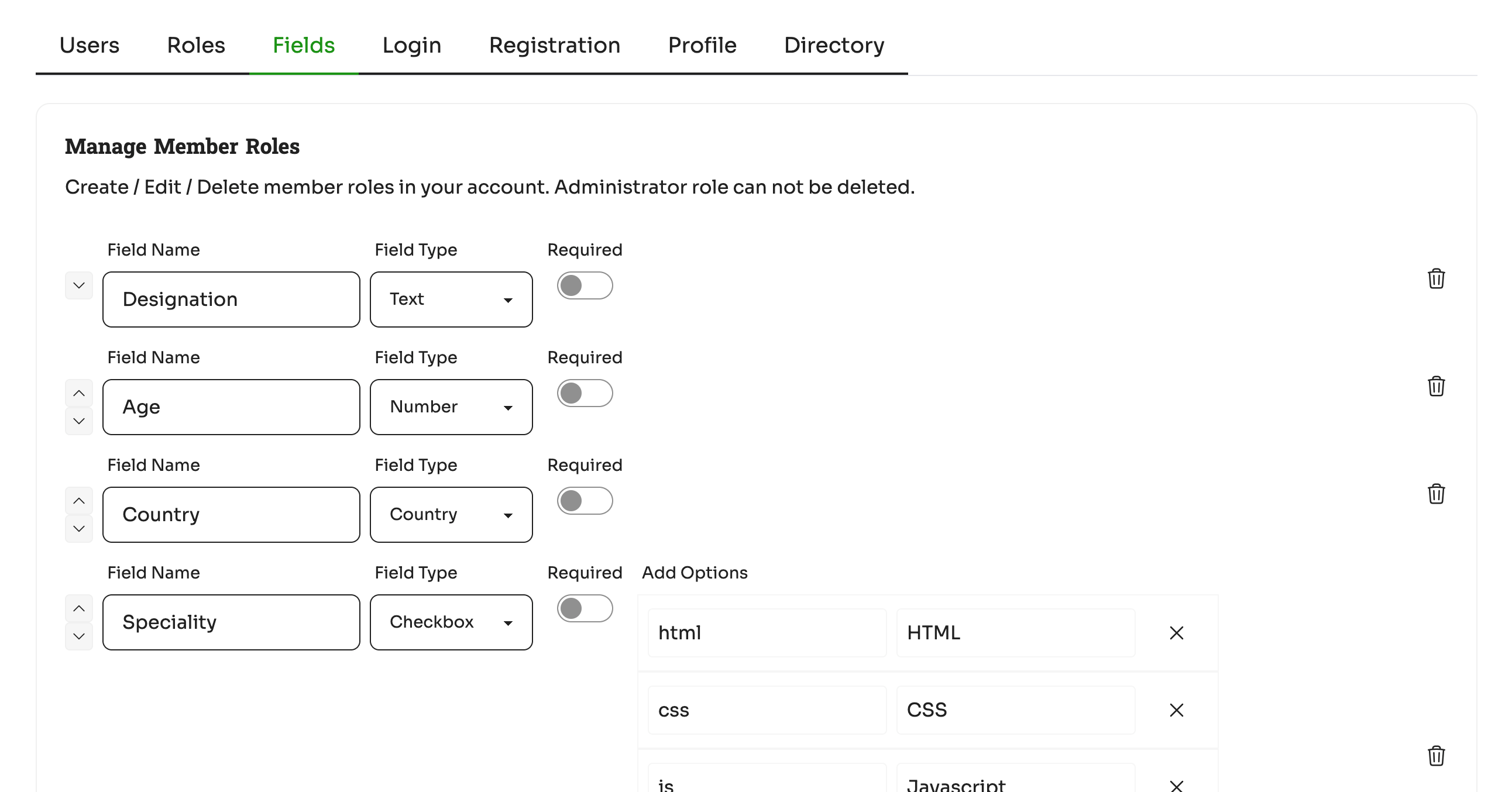
You can create a field with Name, Type, Required and Properties.
Here are some common user profile fields that are often used in various applications:
Basic Information:
Full Name: First name and last name.
Email Address: Primary email address for communication.
Phone Number: Contact number for additional communication.
Date of Birth: Birthdate for age verification or demographic analysis.
Gender: Gender identity (e.g., male, female, non-binary, other).
Location:
Country: Country of residence.
State/Province: State or province of residence.
City: City of residence.
Zip/Postal Code: Postal code for location-based services.
Interests and Preferences:
Hobbies: Personal interests and hobbies.
Favorite Genres: Preferred genres for media content.
Language Preferences: Preferred languages for user interface and content.
Notification Preferences: Preferences for email, SMS, or push notifications.
Professional Information:
Occupation: Current occupation or profession.
Industry: Industry of work.
Company: Current or previous company.
Job Title: Current or previous job title.