- About
- Objective
- Features
- Documentation
- Documentation Builder
- Setup
- Setup Domain
- Page Builder
- BYOS
- LMS
- About LMS
- Creating Courses
- Course Management
- CMS
- Site Features
- Posts
- Media
- Live Customizer
- Workshops
- Zoom Meetings in AcademyLauncher
- Google Meet in Workshops & Google login
- Community
- Community features
- Users
- eCommerce
- Products
- Memberships
- Orders
- Subscriptions
- Payments
- Configuring Stripe
- Payment Settings
- Configuring Razorpay
- Reports
- Dashboard
- Course reports
- Administrator
- Policy
- Privacy Policy
- FAQ
- Default Storage
- Setting up site logo, title
- Customize Dashboard Menu
- Account
- Account workspace overview
- Manage plan, imports, policies, and ownership
- Manage workspace features
- Manage domains, URLs, and sitemap
- Manage data and privacy requests
- Configure role navigation
- Configure dashboard layout
User Management
Users in your site can be managed from the Users panel. Only site administrators have access to this panel.
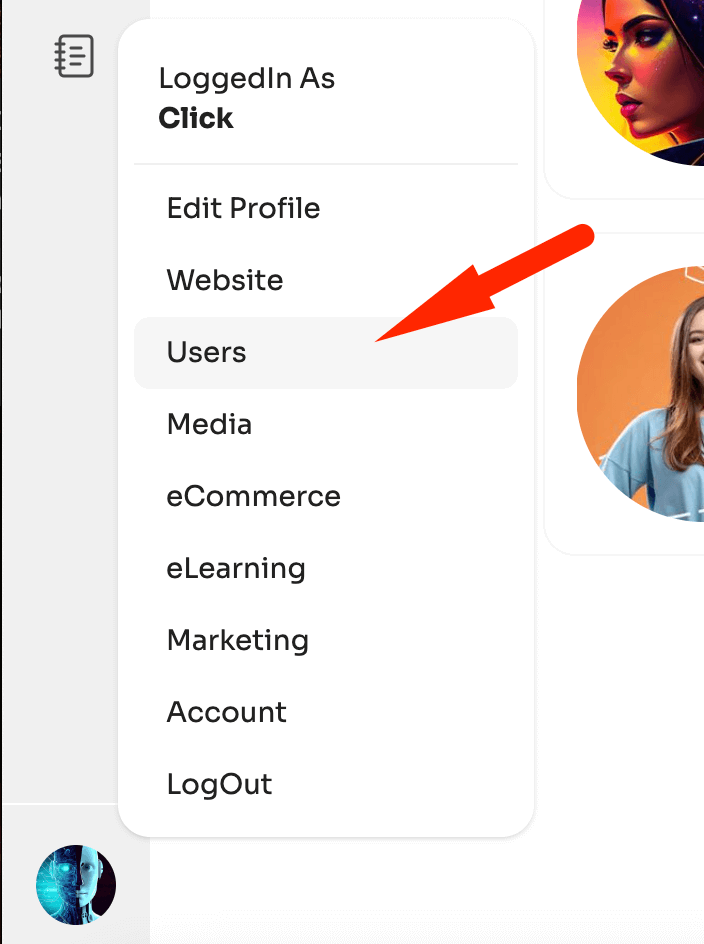
To open users panel, click on the Profile pic in the bottom of the screen.
It should open up a menu, with an item “Users”
Click the users to view the users section.
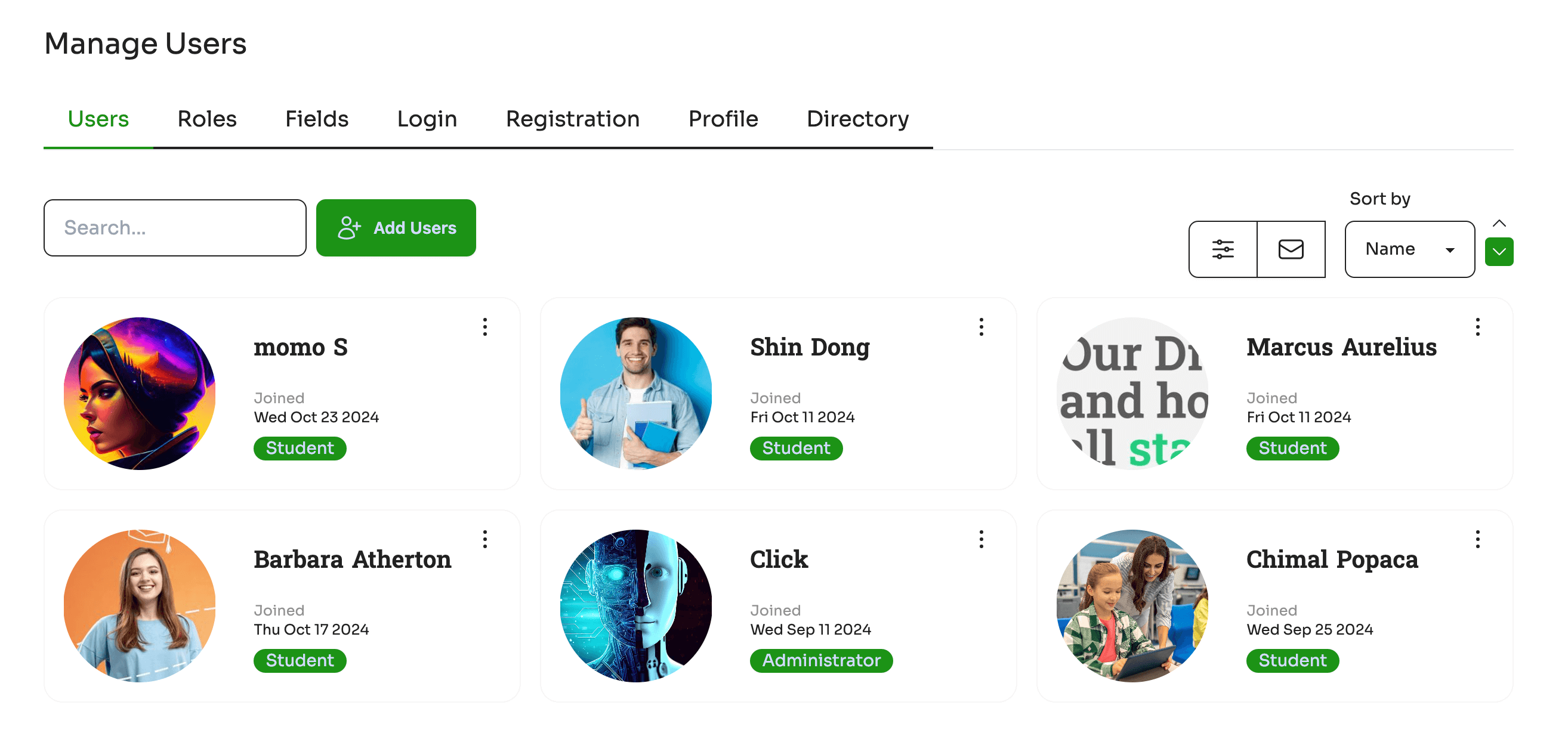
You will land on a screen which has everything related to users. The default shows the users registered in your site. You can use Search , sort functions to find users. Use load more to load more users on the screen.
Add Users
Click on the Add Users button to add users into the site directly. These users are directly added without any email sent to the users. The platform however users an Email verifier to validate if the emails are correct, this is essential to prevent spam emails and avoiding blacklisting of your Site by email aggregators and marking the emails as spam.
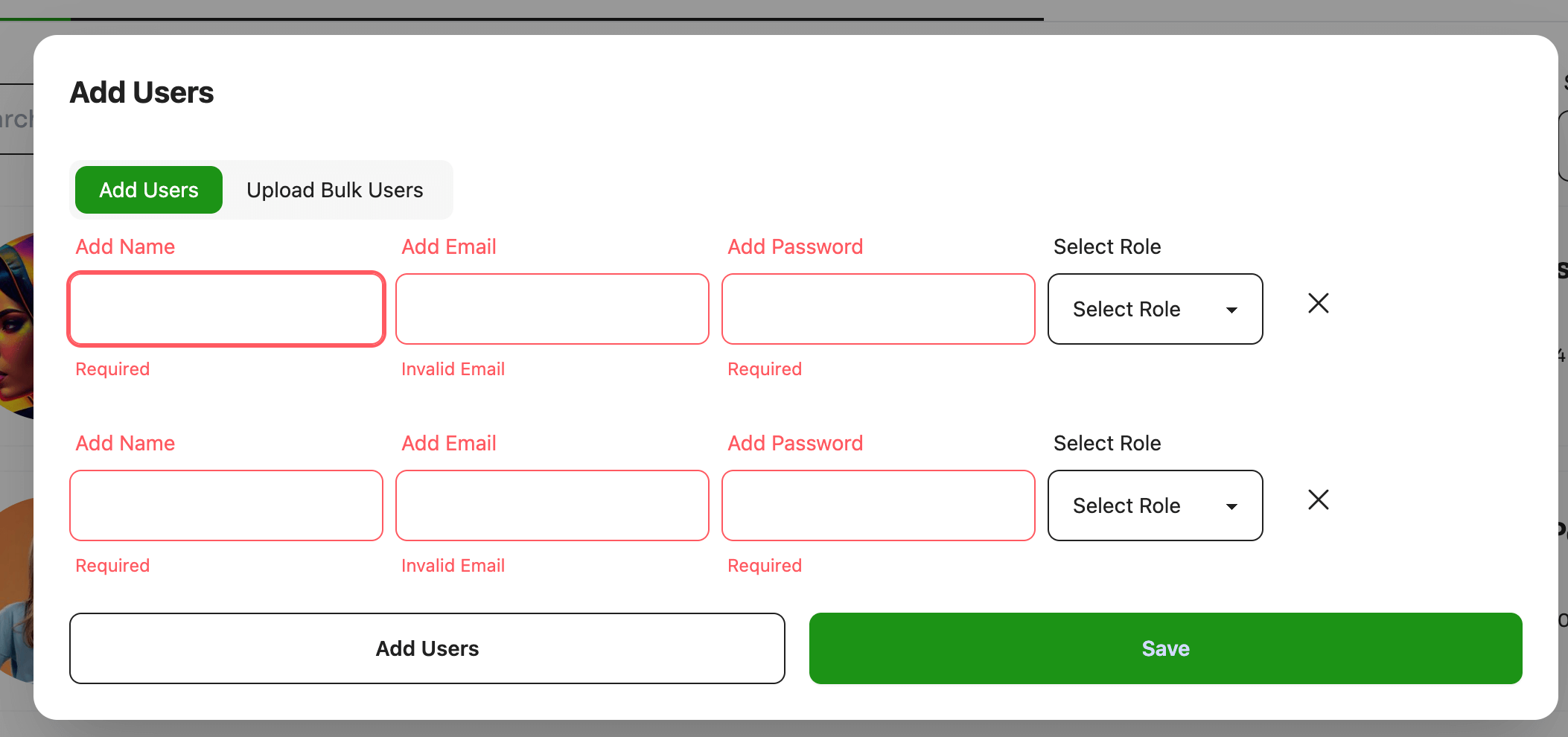
Add a valid name atleast 5 characters. A valid email and a password. The user role is mandatory, so ensure you have created few user roles before adding users directory.
We do not recommending adding many Administrators as they have control over lot of site resources, so ensure. Typical user roles should be #(number of) Students > #Instructors > # Administrators
Bulk Add users
The bulk option allows you to add members into the site via a direct csv upload. A sample csv is provided. Even with csv upload all emails are verified and post processing only members are added.
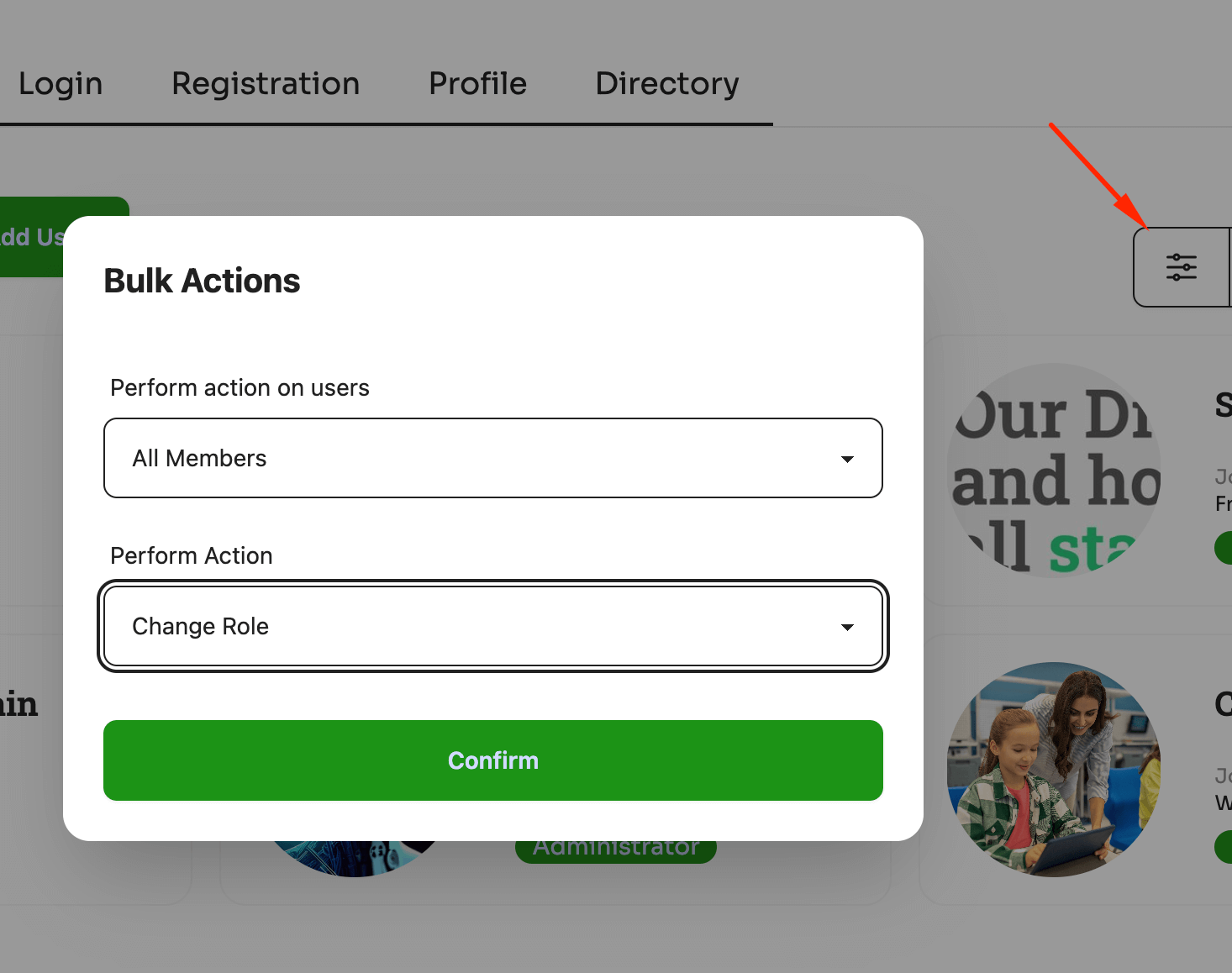
Bulk Actions
Bulk actions are provided in the screen to perform actions simultaneously on bulk users. You will be required to select users and perform actions.
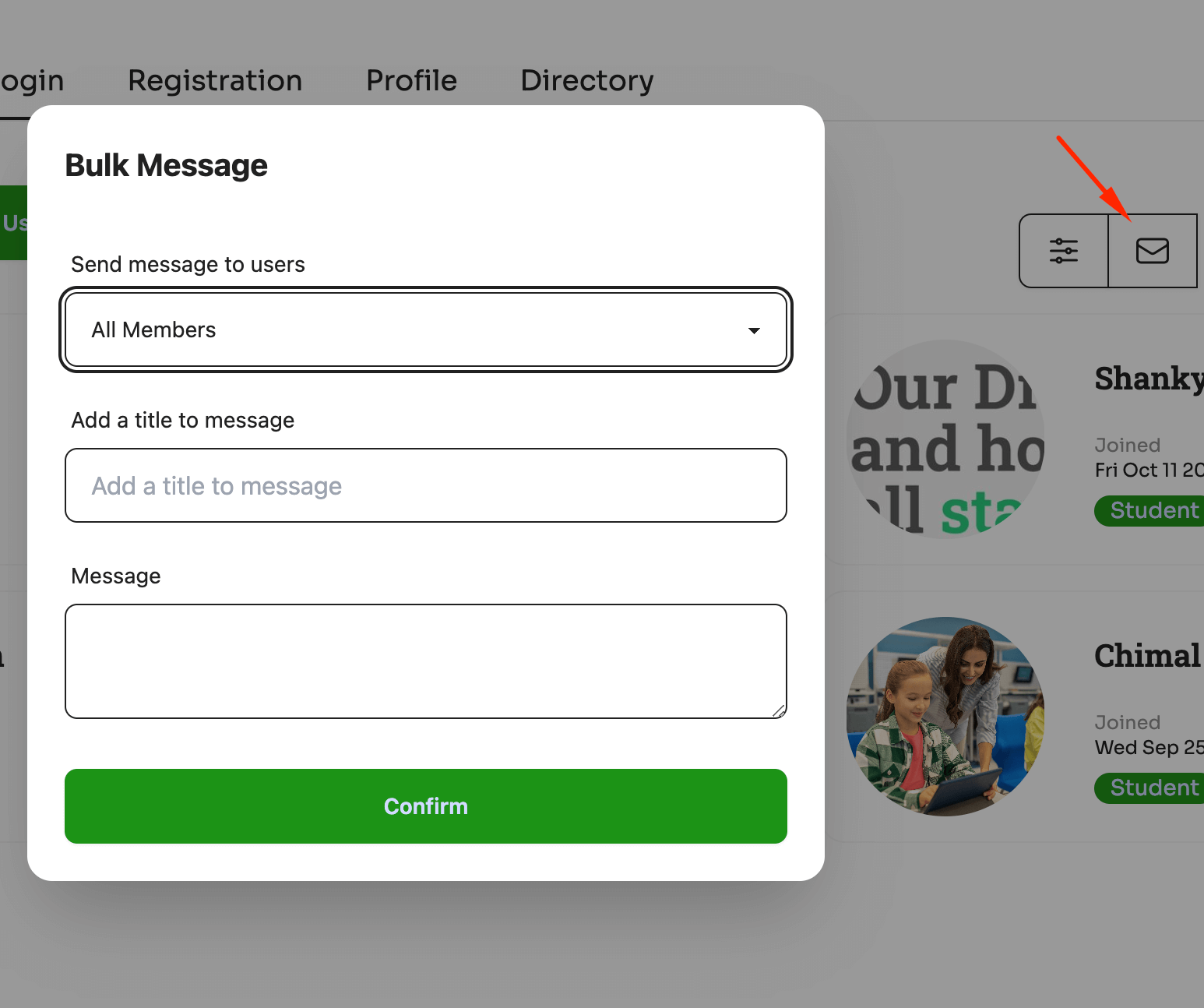
Bulk Email Message
Send bulk email to users simultaneously. Select members and write a message to selectivly send message to the users.
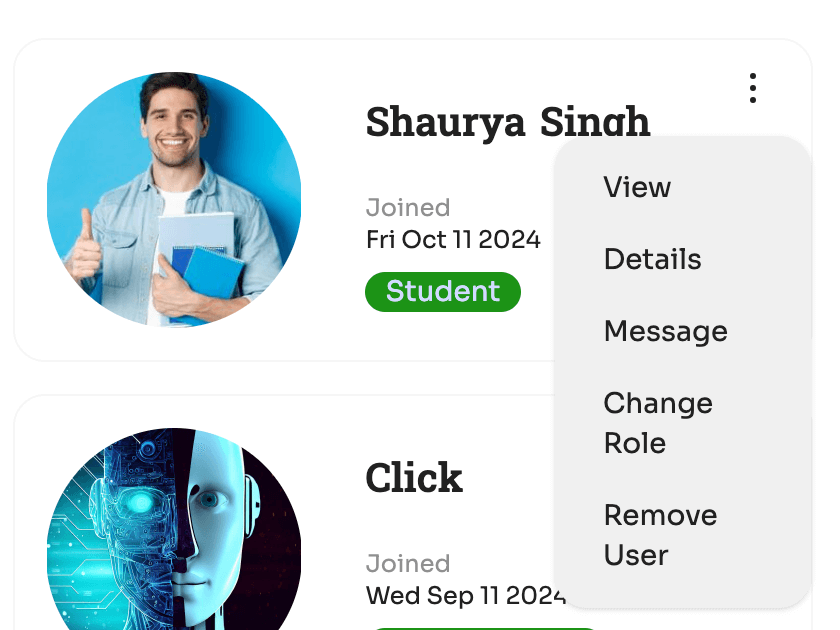
User Actions
You can also perform actions on users using the user actions menu.
Select a user and locate the top right corner with three vertical dots to open the user actions menu.
Click to open.
View : View profile of the user
Details : Edit and manage user information. Name, fields & Avatar can be set from here.
Message : Directly message the user
Change Role : Change user role from the registered roles.
Remove user : Remove the user.