- About
- Objective
- Features
- Documentation
- Documentation Builder
- Setup
- Setup Domain
- Page Builder
- BYOS
- LMS
- About LMS
- Creating Courses
- Course Management
- CMS
- Site Features
- Posts
- Media
- Live Customizer
- Workshops
- Zoom Meetings in AcademyLauncher
- Google Meet in Workshops & Google login
- Community
- Community features
- Users
- eCommerce
- Products
- Memberships
- Orders
- Subscriptions
- Payments
- Configuring Stripe
- Payment Settings
- Configuring Razorpay
- Reports
- Dashboard
- Course reports
- Administrator
- Policy
- Privacy Policy
- FAQ
- Default Storage
- Setting up site logo, title
- Customize Dashboard Menu
- Account
- Account workspace overview
- Manage plan, imports, policies, and ownership
- Manage workspace features
- Manage domains, URLs, and sitemap
- Manage data and privacy requests
- Configure role navigation
- Configure dashboard layout
User Registration
User registration in the platform is handled via Registration forms. You can create registration forms in the site using profile fields created in the User fields section.
By default registration is enabled in the site and Registration forms allow you to add custom fields into the registration form.
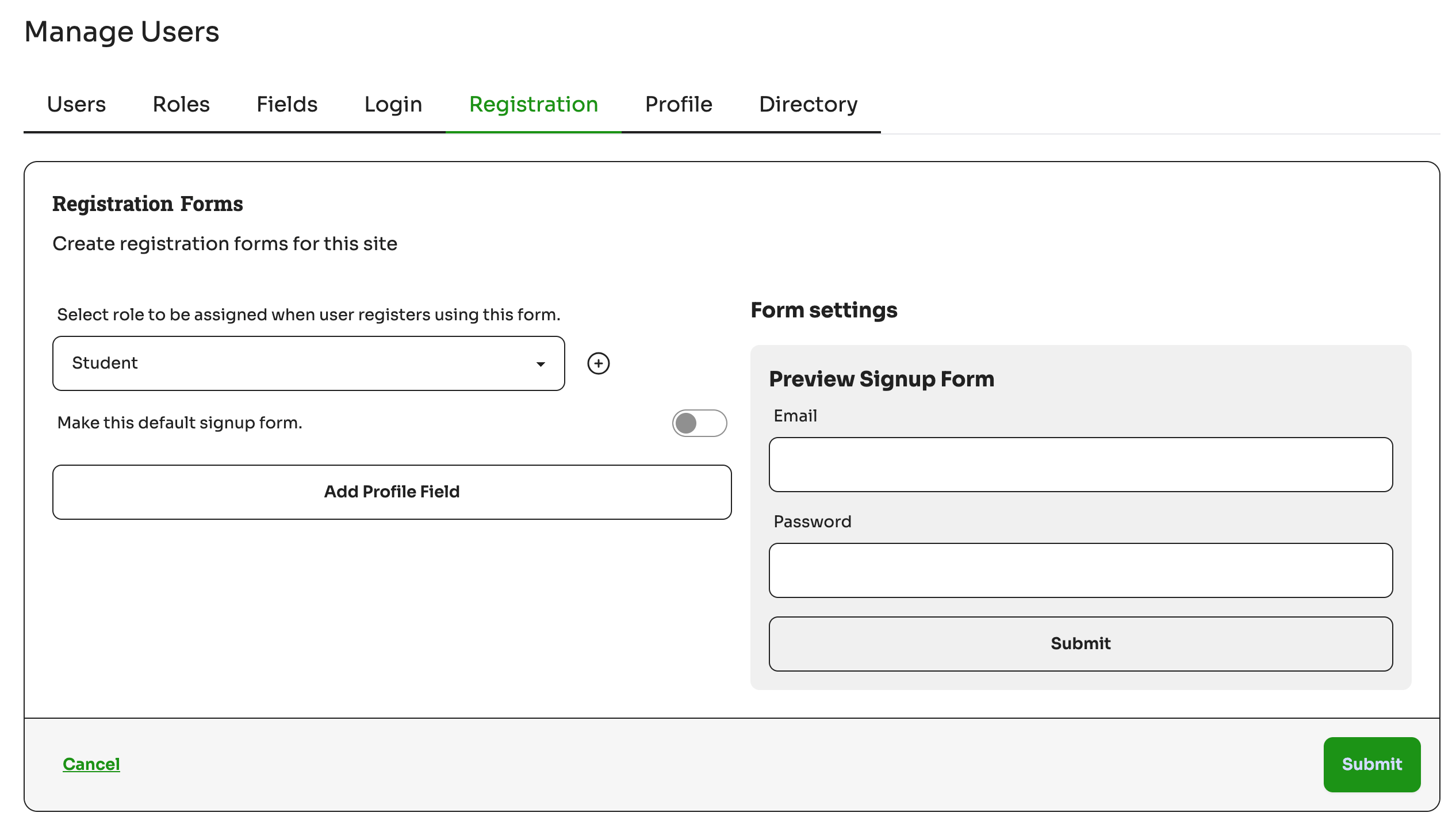
Every registration form needs to have an email and a password field which is mandatory. On the right you can preview the form how it would be visible to the users. Setting the registration form as “Default” would make it a default registration form for the users. Forms not marked as default would need to be embedded into pages or popups.
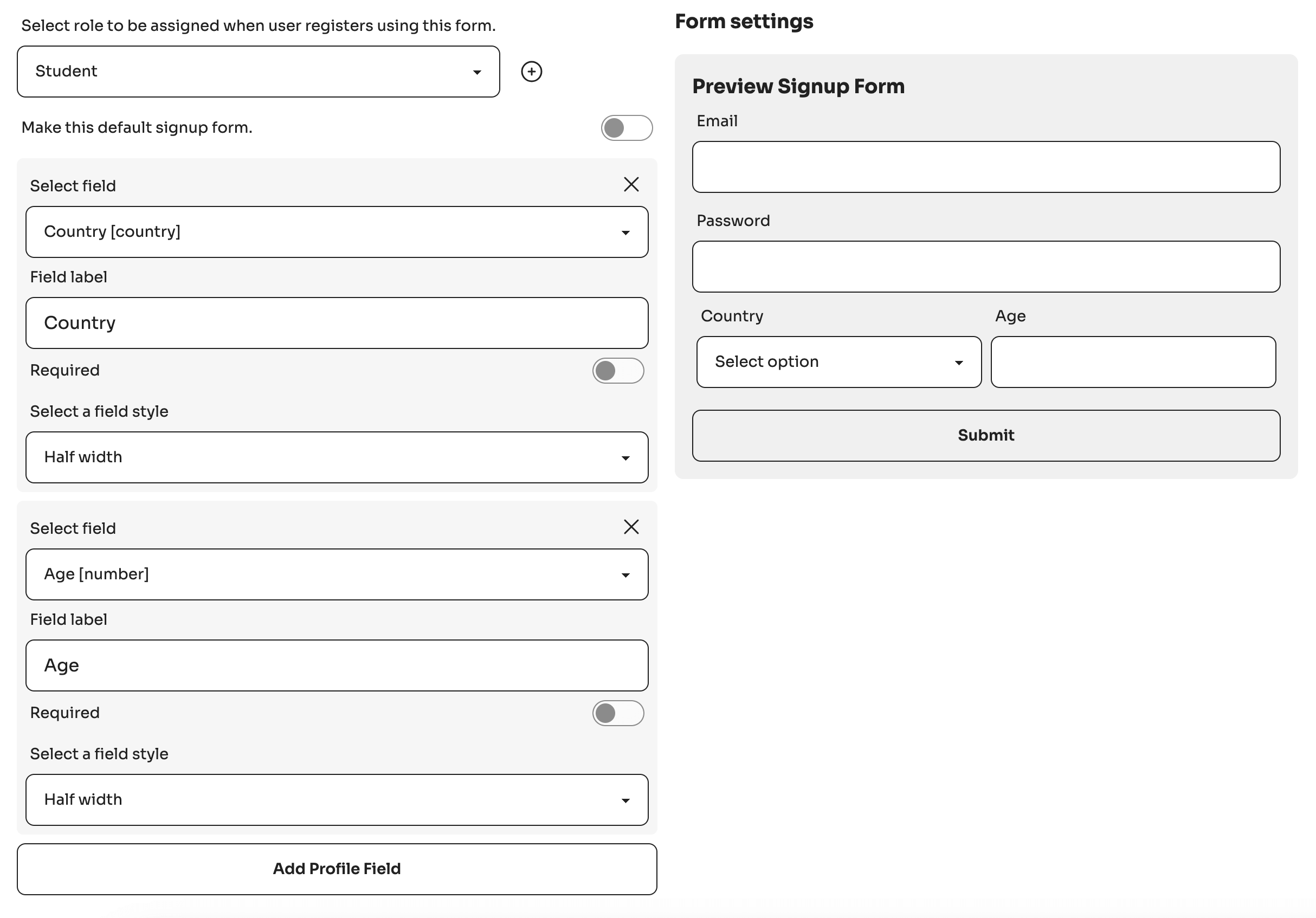
You need to select the fields you want to display in your registration form and you can chose a display option related to the width of the fields. You can also chose a custom label instead of the default profile field.
See below example :
Tip : Registrations can be turned off by enabling social logins or manual adding users.